You’ve just bought a pair of decent headphones — maybe the Sennheiser HD 600s or a set of Beyerdynamic DT 900 Pros — and someone on Reddit has told you that your laptop’s headphone jack is “bottlenecking the sound.” You need a DAC, apparently. So you search Amazon for “DAC” and find a wall of little metal boxes ranging from £30 to £3,000, all claiming to transform your audio experience. None of them look like they do much. Some connect via USB, others need optical cables, and one requires its own power supply. You’re not entirely sure what a DAC actually does, and you’re starting to wonder if the whole thing is audiophile snake oil.
In This Article
- What Is a DAC?
- Do You Actually Need a Separate DAC?
- DAC vs Amp — Do You Need Both?
- Types of DAC: USB, Desktop, Portable, and DAC/Amp Combos
- DAC Specs That Actually Matter
- DAC Specs That Don’t Matter (Despite What Forums Say)
- How to Choose a DAC for Your Setup
- Budget Picks: Under £100
- Mid-Range Picks: £100-£300
- When to Spend More (And When Not To)
- Frequently Asked Questions
What Is a DAC?
DAC stands for Digital-to-Analogue Converter. Every piece of digital audio — Spotify streams, FLAC files, YouTube videos — is stored as a series of numbers. Your headphones and speakers need an analogue electrical signal to produce sound. A DAC converts the digital data into that analogue signal.
Here’s the thing: you already have a DAC. Your phone has one. Your laptop has one. Your TV has one. Every device that plays audio through a speaker or headphone jack has a DAC built in. When people say “you need a DAC,” they mean you need a better one than the chip soldered onto your motherboard.
Why Would You Want a Better One?
The DAC built into your laptop or phone is designed to be good enough for most people, at the lowest possible cost and size. It works fine for casual listening through earbuds or basic headphones. But once you start using higher-quality headphones — especially open-back models designed for critical listening — you might notice:
- Background hiss — a faint hissing sound when nothing is playing, caused by electrical interference inside the device
- Lack of detail — sounds that should be distinct get blurred together
- Thin bass — not enough power to drive the low-end properly
- Volume issues — the headphones aren’t loud enough even at maximum volume (this is actually an amp issue, not a DAC issue, but the two are often bundled together)
A dedicated DAC takes the digital signal out of your laptop via USB before the internal DAC touches it, converts it in a purpose-built circuit with better components and proper shielding from electrical noise, and sends a cleaner analogue signal to your headphones or amplifier.
Do You Actually Need a Separate DAC?
Honest answer: maybe not. And I say this as someone who owns two.
You Probably Don’t Need One If:
- You’re using Bluetooth headphones (the DAC is inside the headphones — your source DAC is irrelevant)
- You’re listening through standard earbuds or closed-back headphones under £100
- You don’t hear any hiss, distortion, or volume issues from your current setup
- You’re listening to Spotify at default quality on a modern phone (the built-in DAC in recent iPhones and Samsung phones is very good)
You Should Consider One If:
- You hear audible hiss or static when plugging headphones into your laptop
- Your headphones are hard to drive (high impedance — see our impedance guide) and your source can’t get them loud enough
- You’re using open-back headphones at a desk and want the best sound quality from your setup
- You’re using studio monitors or hi-fi speakers and want a clean signal chain
- You’re connecting a turntable to a modern system (turntables need a phono preamp, not a DAC — but your digital sources still benefit)
The first test is simple: plug your headphones into your laptop, play something, and listen. If it sounds good to you, you might not need a DAC. If you hear hiss, distortion, or the headphones feel underpowered, a DAC (or DAC/amp combo) is a genuine upgrade.
DAC vs Amp — Do You Need Both?
This confuses a lot of people. A DAC and an amplifier do different jobs.
The DAC
Converts digital signal to analogue. That’s it. The quality of this conversion affects clarity, detail, and noise floor (background hiss).
The Amplifier
Takes the analogue signal and makes it powerful enough to drive your headphones. Different headphones need different amounts of power. IEMs (in-ear monitors) need almost none. Large open-back headphones like the Sennheiser HD 800S need quite a lot.
In Practice
Most standalone DACs under £200 are actually DAC/amp combos — they do both conversion and amplification in one unit. This is what most people need and should buy. Separating your DAC and amp only makes sense at higher budgets (£500+) where each component can be individually optimised.
If your headphones are easy to drive (under 50 ohms impedance), almost any DAC/amp combo will power them. If they’re high-impedance (250-600 ohms), you need a combo with a more powerful amp section — or a separate amplifier.
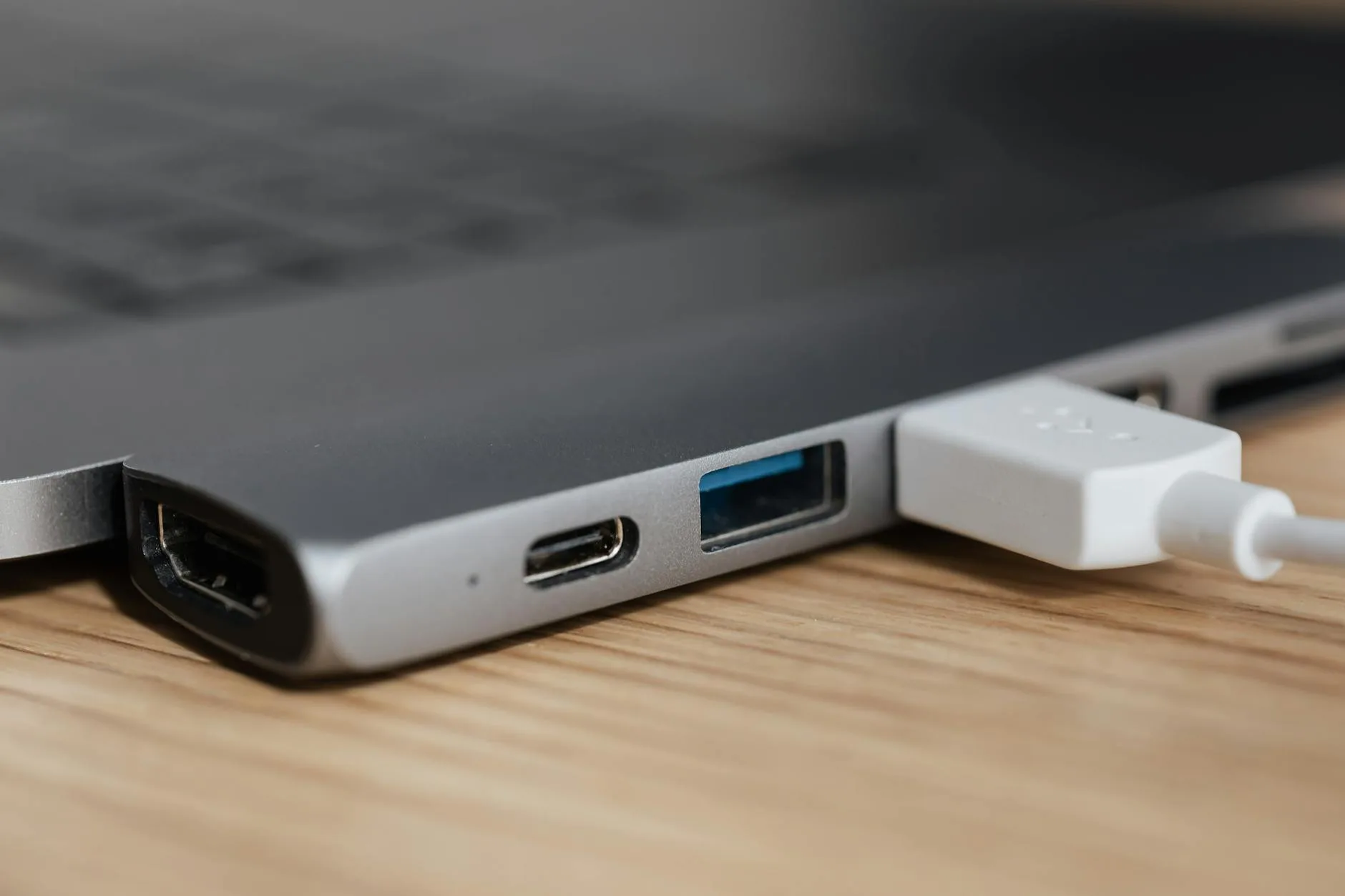
Types of DAC: USB, Desktop, Portable, and DAC/Amp Combos
USB DAC Dongles
Tiny devices that plug into your phone or laptop’s USB-C port. The modern standard for portable audio improvement.
- Size: About the length of your thumb
- Price: £15-100
- Best for: Phone listening with wired IEMs or low-impedance headphones
- Examples: Apple USB-C to 3.5mm adapter (about £9 — surprisingly decent), iFi GO bar (about £60), Qudelix 5K (about £90)
- Limitation: Limited power output. Won’t drive demanding headphones properly
Desktop DAC/Amp Combos
Small boxes that sit on your desk, connected via USB to your laptop or PC.
- Size: About the size of a pack of cards to a small book
- Price: £50-500
- Best for: Desk setups with proper headphones or active speakers
- Examples: FiiO K5 Pro (about £130), Schiit Modi/Magni stack (about £200 for both), Topping DX3 Pro+ (about £180)
- This is what most people should buy — enough power for virtually any headphones, good quality DAC chip, compact footprint
Portable DAC/Amps
Battery-powered units for mobile listening. Popular with commuters who use high-quality IEMs.
- Size: Similar to a thick credit card
- Price: £80-400
- Best for: Mobile listening with quality IEMs, travelling
- Examples: FiiO BTR5 (about £70, also does Bluetooth), Chord Mojo 2 (about £450, legendary but expensive)
Standalone DACs (No Amp)
Pure DACs with line-level output — designed to feed into a separate headphone amplifier or powered speakers.
- Price: £100-2,000+
- Best for: Hi-fi separates systems where you already have an amplifier
- Examples: Schiit Modi (about £100), Topping D50s (about £200), Chord Qutest (about £1,200)
- You don’t need this unless you’re building a proper hi-fi system
DAC Specs That Actually Matter
Noise Floor
How much background hiss the DAC produces. Measured in dBFS (decibels relative to full scale) — the lower (more negative) the number, the quieter the background. Anything below -110 dBFS is essentially silent to human ears. Most DACs above £50 achieve this comfortably. For a related angle, see our How to Choose Audio Cables: Analogue, Digital & Optical guide.
Output Impedance
Affects how the DAC interacts with your headphones. The rule of thumb: the DAC’s output impedance should be less than 1/8th of your headphones’ impedance. Too high an output impedance can alter the frequency response of sensitive IEMs. Most modern DACs have output impedance under 1 ohm — not an issue.
Power Output (mW)
How much power the amp section can deliver. Matters if you have demanding headphones. For reference:
- IEMs (8-32 ohms): 1-10 mW is plenty
- Easy headphones (32-80 ohms): 20-50 mW
- Moderate headphones (80-250 ohms): 50-200 mW
- Hard to drive (250-600 ohms): 200-500 mW
Supported Sample Rates and Bit Depth
Most DACs support at least 24-bit/96kHz, which covers virtually all music you’ll encounter. 32-bit/384kHz or DSD support is nice to have but irrelevant for 99% of listeners — most music is mastered in 24/96 or lower.
The What Hi-Fi? hi-res audio guide explains the format landscape well if you want to understand what different sample rates mean in practice.
DAC Specs That Don’t Matter (Despite What Forums Say)
THD+N (Total Harmonic Distortion plus Noise)
At the levels modern DACs achieve (below 0.01%), the differences are inaudible. A DAC with 0.0005% THD doesn’t sound noticeably better than one with 0.005%. Both are below the threshold of human hearing.
The DAC Chip
ESS Sabre, AKM, Cirrus Logic, Texas Instruments — audiophile forums obsess over which chip a DAC uses. The implementation matters far more than the chip. A well-implemented £80 DAC with a “boring” chip can sound better than a poorly implemented £300 DAC with a premium chip.
MQA Support
MQA (Master Quality Authenticated) is a lossy compression format that Tidal used. It’s been largely abandoned. Don’t pay extra for MQA support.
DSD Support
A niche format used by a tiny fraction of audiophiles. Unless you specifically have a DSD music library, you’ll never use it. Don’t make purchasing decisions based on DSD compatibility.
How to Choose a DAC for Your Setup
Step 1: Identify Your Source
- Laptop/desktop PC: USB connection. Almost any DAC works
- Phone (USB-C): USB DAC dongle or portable DAC/amp
- Phone (Lightning/older): Apple dongle or compatible portable DAC
- TV/console: Optical (TOSLINK) input required — check the DAC has one
Step 2: Identify Your Headphones
- IEMs or easy headphones (under 50 ohms): Any DAC/amp combo, or even a USB-C dongle
- Medium headphones (50-150 ohms): Desktop DAC/amp combo recommended
- Hard to drive (250+ ohms): Desktop combo with high power output, or separate DAC + dedicated amp
Step 3: Set Your Budget
For most people, the sweet spot is £50-200. Below £50 you’re getting minimal improvement over your laptop’s built-in DAC. Above £200 you’re into diminishing returns territory — the improvements become subtle.
Step 4: Consider Your Use Case
- Desk only: Desktop DAC/amp combo (FiiO K5 Pro, Topping DX3 Pro+)
- Desk and portable: Get a desktop unit for home and a dongle for mobile
- Portable only: USB-C dongle or portable DAC/amp
- Hi-fi system: Standalone DAC with optical/coaxial inputs, feeding into your existing amplifier
Budget Picks: Under £100
Apple USB-C to 3.5mm Adapter (about £9)
Not a joke. Apple’s adapter contains a surprisingly capable DAC chip that measures well in audio tests. It won’t drive demanding headphones, but for IEMs and easy-to-drive headphones with a phone or laptop, it’s hard to beat for the money. The catch: very low power output (about 1mW), so it’s useless for anything that needs amplification.
FiiO KA1 (about £35)
A proper USB-C DAC dongle with considerably more power than the Apple adapter. Drives most headphones up to about 100 ohms comfortably. Good build quality, compact, and widely available from Amazon UK. I used one of these as my travel DAC for about six months — it’s honest, clean, and does exactly what it should. Our How to Wire Speakers: Series vs Parallel Explained guide is useful alongside this.
Topping DX1 (about £80)
A desktop DAC/amp combo that punches well above its price. Enough power for most headphones, clean sound, USB and optical inputs. If you want one box on your desk that handles everything, this is where sensible spending starts. Available from dedicated audio retailers and Amazon UK.
Mid-Range Picks: £100-£300
FiiO K5 Pro ESS (about £130)
One of the most recommended DAC/amp combos in UK audiophile communities. Plenty of power for headphones up to 600 ohms, USB and optical inputs, and a proper volume knob that feels substantial. This drives Sennheiser HD 600s and Beyerdynamic DT 990 Pros beautifully. It lives permanently on my desk.
Topping DX3 Pro+ (about £180)
Slightly more refined than the K5 Pro, with Bluetooth input (LDAC supported) as a bonus. Excellent measurements, compact, and versatile. A great choice if you want Bluetooth convenience alongside wired quality.
Schiit Modi + Magni Stack (about £200 total)
The classic entry-level audiophile setup. Separate DAC (Modi) and headphone amp (Magni), stacked on top of each other. Made in the USA, available in the UK via Schiit’s European distributor. The Magni has serious power output — it’ll drive virtually anything. The Modi is a clean, competent DAC. Together they’re hard to fault at this price.
iFi Zen DAC V2 (about £170)
British-designed, with a focus on musical enjoyment over clinical accuracy. Has a “truebass” button that adds tasteful bass boost. MQA support (less relevant now). A warmer, more engaging sound signature than the Topping — which you prefer is personal taste.
When to Spend More (And When Not To)
Spend More If:
- You have headphones worth £500+ and want to hear everything they’re capable of
- You’re building a proper hi-fi system with passive speakers and a power amplifier
- You want specific features like balanced output (for balanced cables) or high-end Bluetooth codecs
- You’ve owned a mid-range DAC and can genuinely hear its limitations
Don’t Spend More If:
- Your headphones cost less than the DAC you’re considering (put the money into better headphones first)
- You’re listening to compressed audio (Spotify free, YouTube) — the source quality is the bottleneck, not your DAC
- You can’t hear a difference between your current setup and a better one in a blind test
- Someone on a forum told you that you “need” a £500 DAC for your £150 headphones — you don’t
The golden rule of audio upgrades: headphones first, DAC/amp second, cables never. If you have £300 to spend and currently own £50 headphones and no DAC, spend £250 on headphones and £50 on a DAC dongle. The headphone upgrade will make ten times more difference.
Frequently Asked Questions
Will a DAC make Spotify sound better? It depends on what you mean. A DAC won’t add detail that isn’t in the recording — Spotify Premium streams at 320kbps, which is good but not lossless. However, a DAC can reduce background noise and distortion from your source device, making the stream sound cleaner. The improvement is more noticeable with quiet or acoustic music where background hiss is audible.
Do I need a DAC for gaming? For competitive gaming where you need to pinpoint footstep direction, a clean DAC helps with imaging (spatial accuracy). For casual gaming, your motherboard audio is probably fine. The SteelSeries or HyperX gaming DACs are decent but overpriced — a FiiO K5 Pro does the same job better for similar money.
Can I use a DAC with powered speakers? Yes — this is one of the best uses for a standalone DAC. Connect via USB from your PC, then use RCA or 3.5mm output to your powered speakers. The result is usually cleaner than plugging speakers directly into your motherboard.
What’s the difference between USB and optical connection? USB carries the raw digital audio data for the DAC to process. Optical (TOSLINK) also carries digital audio but is limited to 24-bit/96kHz. USB supports higher rates. For most music, both sound identical. Optical has the advantage of electrical isolation — no ground loop hum, which can be an issue with some USB setups.
Is the DAC in my phone good enough? Modern phones (iPhone 15, Samsung Galaxy S24, Pixel 8) have very capable built-in DACs. If you’re happy with the sound through your headphones plugged directly into your phone, the internal DAC is doing its job. The main reason to add an external DAC/amp to a phone is for more power to drive demanding headphones, not because the phone’s DAC is bad.