You’ve been watching films on a 43-inch TV with its built-in speakers, and it’s fine — until you visit a mate’s house and he’s got a soundbar, a subwoofer rumbling through the floorboards, and a 65-inch screen filling the wall. Suddenly your setup feels like watching telly through a letterbox with the sound coming from a tin can. A proper home cinema doesn’t have to cost thousands, and you don’t need a dedicated room. With the right choices, you can build something that transforms your living room for under £1,000.
In This Article
- What Counts as a Home Cinema?
- The Screen: TV vs Projector
- Sound: The Biggest Upgrade You Can Make
- Speaker Configurations Explained
- Streaming Devices and Sources
- Room Setup and Positioning
- Cables and Connections
- Budget Builds by Price Point
- Common Mistakes to Avoid
- Frequently Asked Questions
What Counts as a Home Cinema?
At its simplest, a home cinema is any setup that gives you a better-than-TV experience at home. That could mean a soundbar and a bigger telly, or it could mean a projector, surround speakers, and blackout curtains. The equipment scales with your budget, but the principle is the same: bigger picture, better sound, more immersion.
The Three Pillars
- Screen — the display. Bigger is better up to the point where your room allows comfortable viewing
- Sound — the single biggest improvement you can make. TV speakers are terrible because they’re tiny and firing sideways or downward. Even a cheap soundbar is a massive leap
- Source — what feeds content to your screen. Streaming boxes, Blu-ray players, or your smart TV’s built-in apps
Get these three right and you’ve got a home cinema. Everything else — acoustic panels, smart lighting, reclining seats — is a bonus.
The Screen: TV vs Projector
TV: The Practical Choice
For most UK living rooms, a TV is the better option. Modern 55-65″ TVs are bright, sharp, and work in any lighting condition. You don’t need to darken the room to watch the news.
Budget picks for home cinema:
- 55″ 4K TV — about £300-400 from Currys or Amazon UK. Samsung CU7000, LG UR78, or Hisense A6K all deliver excellent picture for the money
- 65″ 4K TV — about £450-600. The sweet spot for a dedicated cinema room. Samsung CU8000 or LG UT80 are strong choices
- OLED — about £900+ for 55″. If you can stretch to it, OLED delivers perfect blacks and stunning contrast that transforms dark films. LG C4 is the go-to recommendation
Projector: The Cinema Feel
A projector gives you a screen size that no TV can match at the same price — 100-120″ images for the cost of a mid-range telly. The trade-off is that projectors need a darker room.
Budget picks:
- XGIMI Halo+ or Halo — about £500-600. Portable, built-in Android TV, 1080p, surprisingly loud built-in speakers. Good for renters because you can project onto any white wall
- BenQ TH585P — about £500. Dedicated home cinema projector, bright, 1080p, no smart features (use a streaming stick). Better image quality than the XGIMI for a dark room
- Epson EH-TW6250 — about £700-800. 4K, bright, excellent colour. The best budget 4K projector available in the UK
Which Should You Choose?
A TV if your room has windows you can’t fully darken, if you watch a lot of daytime TV, or if you want a simple setup. A projector if you want the biggest possible image, you have a room you can darken, and you’re mainly watching in the evenings.
Sound: The Biggest Upgrade You Can Make
I cannot overstate this: upgrading from TV speakers to any external audio is the single most transformative thing you can do for your home cinema experience. A £200 soundbar with a subwoofer gives you more impact than upgrading from a 43″ to a 65″ TV.
Why TV Speakers Are Bad
TV manufacturers have spent a decade making TVs thinner. Thinner TVs mean smaller speaker cavities, which mean weaker bass, tinnier dialogue, and no sense of space. Your TV’s speakers are an afterthought — the screen is the product.
Soundbars: The Easy Option
A soundbar sits below your TV and immediately upgrades dialogue clarity, bass, and overall audio quality. Models with a separate wireless subwoofer add the low-end impact that makes explosions feel real and music feel full.
Budget picks:
- Samsung HW-C450 — about £150-180. 2.1 channel with wireless subwoofer. Excellent for the price
- Sony HT-S400 — about £180-220. 2.1 channel, good dialogue clarity, powerful subwoofer
- Sonos Beam (Gen 2) — about £400. Dolby Atmos, excellent build quality, expandable to surround with additional Sonos speakers later. The buy-it-once option
For a deep dive into surround sound formats, our guide to Dolby Atmos explained covers what it means and whether you need it.
AV Receiver + Speakers: The Enthusiast Route
If you want true surround sound, an AV receiver paired with separate speakers gives you the best audio quality per pound. It’s more complex to set up but the result is substantially better than any soundbar. For a related angle, see our Best HDMI Cables for Home Cinema guide.
Budget starter setup (~£500-600):
- Denon AVR-X580BT receiver — about £250. 5.2 channel, 4K passthrough, Bluetooth
- Wharfedale Diamond 12.0 front speakers (pair) — about £130. Excellent British-made bookshelf speakers
- Wharfedale Diamond 12.CS centre speaker — about £80. Matches the fronts for seamless dialogue
- Budget surrounds — any small bookshelf speakers, even second-hand, work for rear channels
- A subwoofer — BK Electronics Gemini II (about £250) is superb value from a British manufacturer. Or save budget initially and add one later
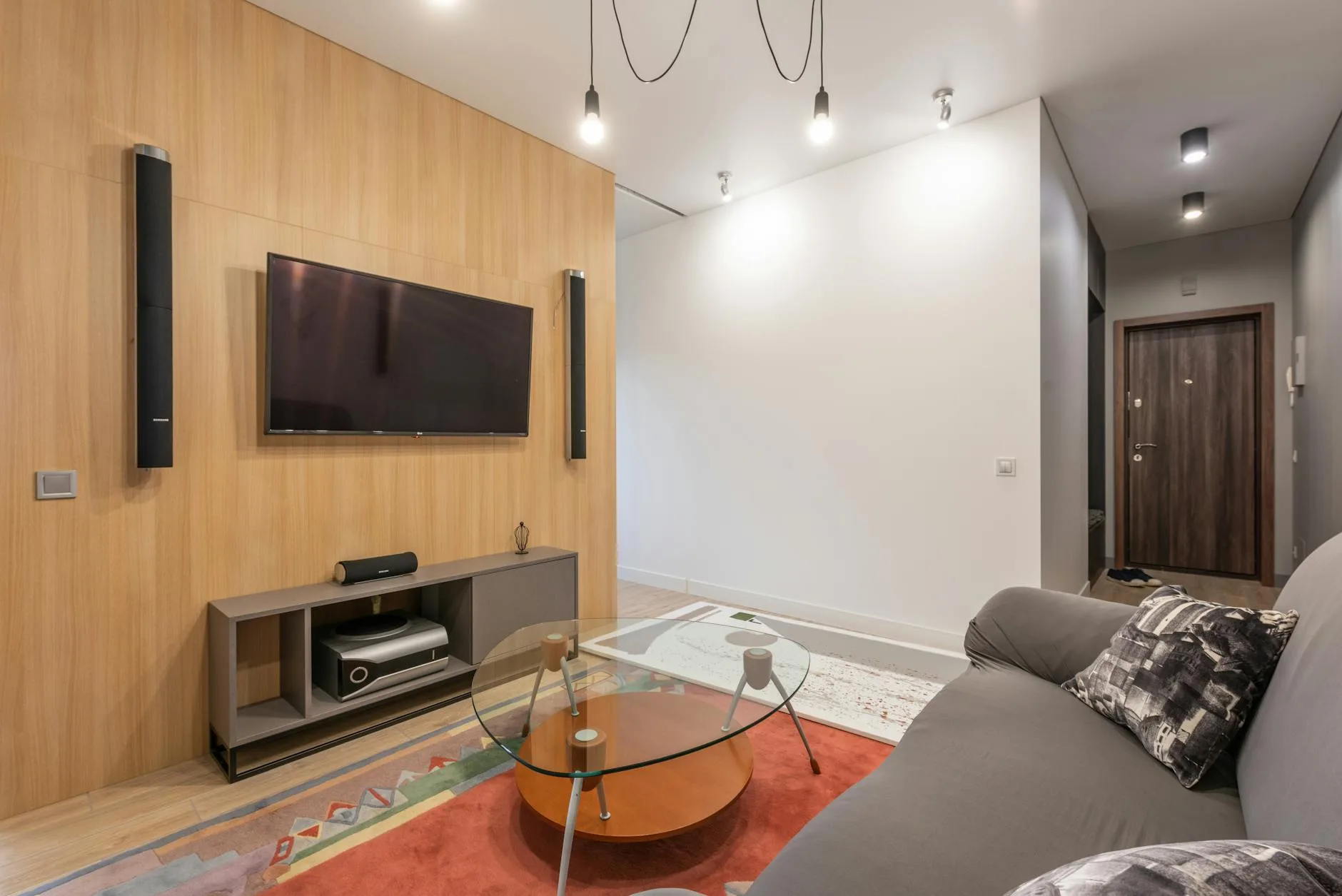
Speaker Configurations Explained
2.0 and 2.1
Two speakers (left and right) with or without a subwoofer. This is what a soundbar gives you. Good stereo imaging, decent for music and films. The .1 adds a subwoofer for bass.
5.1 Surround
The classic home cinema setup: front left, centre, front right, surround left, surround right, plus a subwoofer. Sound comes from around you — helicopters fly overhead, dialogue anchors to the centre, ambient sounds wrap around the room. This is where home cinema starts to feel noticeably different from just watching telly.
7.1 and Dolby Atmos
7.1 adds two extra surround channels behind you. Dolby Atmos adds height channels (speakers on or bouncing off the ceiling) for a three-dimensional sound bubble. Atmos is brilliant but you need a receiver that supports it, Atmos-encoded content, and either ceiling speakers or upward-firing modules on your front speakers. Our Best Projectors for Home Cinema 2026 guide is useful alongside this.
What Do You Actually Need?
For most people in a normal UK living room, 3.1 (front left, centre, front right, subwoofer) gives you 80% of the cinema experience. The centre speaker handles dialogue — the single most important channel — while the fronts provide stereo width and the subwoofer adds impact. Start here and add surround speakers later if you catch the bug.
Streaming Devices and Sources
Built-In Smart TV Apps
Every modern TV includes Netflix, Disney+, Amazon Prime Video, iPlayer, and more. These work fine for casual viewing but smart TV interfaces are often sluggish, especially on budget TVs. If your TV is more than 3-4 years old, the apps may have stopped receiving updates.
Dedicated Streaming Devices
A separate streaming device gives you a faster, more reliable experience:
- Amazon Fire TV Stick 4K — about £35-50. Excellent value, Alexa voice control, all major UK apps. Works with any TV that has an HDMI port
- Apple TV 4K — about £150. Premium build, tvOS interface, AirPlay from Apple devices. The best streaming box if you’re in the Apple ecosystem
- Google Chromecast with Google TV — about £30-40. Clean interface, Google Assistant, cast from your phone
- Roku Express 4K — about £30. Simple interface, no ecosystem lock-in, all UK streaming services
Physical Media
4K Blu-ray delivers the best possible picture and sound quality — better than any streaming service because the bitrate is higher and the audio is uncompressed. If you care about quality for your favourite films, a 4K Blu-ray player (about £150-200 for a Panasonic DP-UB150) and a small collection of discs is worth the investment. Our guide to audio file formats explains why higher bitrates matter for sound quality. We cover a similar decision in Dolby Atmos vs DTS:X: Home Cinema Audio Formats Explained.
Room Setup and Positioning
TV Placement
- Eye level when seated — the centre of the screen should be roughly at your eye height when sitting on your sofa. Mounting a TV above a fireplace puts it too high and creates neck strain
- Viewing distance — as a rule of thumb, sit 1.5-2.5 times the screen’s diagonal measurement away. For a 55″ TV, that’s about 2-3.5 metres. Closer feels more immersive; further is more comfortable
- Avoid reflections — position the TV so windows aren’t behind you reflecting in the screen. If unavoidable, curtains or a matt-finish screen help
Speaker Placement
- Centre speaker directly below or above the TV, aimed at your ears
- Front left and right at equal distances from the TV, forming a triangle with your seating position. Ear height or angled upward from a shelf
- Subwoofer — bass is non-directional, so placement is flexible. The corner of the room gives maximum bass output (sometimes too much). Experiment by moving it around and listening
Room Acoustics
Hard surfaces (wooden floors, bare walls, glass) reflect sound and create echoes. Soft furnishings absorb sound and improve clarity:
- A rug on hard flooring makes a noticeable difference to dialogue clarity
- Curtains over windows reduce reflections
- Bookshelves act as natural diffusers — a wall of books behind your speakers improves sound
- Don’t overthink it — acoustic treatment matters in a recording studio. In a living room, normal furnishings do most of the work
Cables and Connections
HDMI
HDMI carries both video and audio. For 4K content with HDR, you need at least an HDMI 2.0 cable. For Dolby Atmos passthrough and 4K 120Hz gaming, you need HDMI 2.1. Buy cables from Amazon Basics or Cable Matters (£5-10) — expensive branded cables carry the same signal.
HDMI ARC and eARC
ARC (Audio Return Channel) lets your TV send audio back to a soundbar or receiver through a single HDMI cable. eARC does the same but supports higher-quality audio formats including lossless Dolby Atmos. Check that your TV and soundbar/receiver both support ARC (almost all do) or eARC (newer models).
Optical
An older audio connection that carries surround sound but not Atmos or high-resolution formats. Use HDMI ARC if available; optical is the fallback for older equipment.
Budget Builds by Price Point
Under £300: The Starter
- Your existing TV (any size)
- Samsung HW-C450 soundbar — about £170
- Amazon Fire TV Stick 4K — about £40
Total: about £210. This transforms your TV watching immediately. The soundbar handles 90% of the audio improvement, and the streaming stick gives you a fast, reliable interface.
£500-£800: The Sweet Spot
- Hisense 55″ A6K or Samsung 55″ CU8000 — about £350-400
- Sony HT-S400 soundbar — about £200
- Fire TV Stick 4K or Apple TV 4K — about £40-150
Total: about £590-750. A genuinely great setup for a living room. Clear dialogue, punchy bass, 4K picture.
£1,000-£1,500: The Enthusiast
- LG 55″ C4 OLED — about £900
- Denon AVR-X580BT + Wharfedale Diamond 12.0 pair + centre — about £460
- Streaming device — about £40
Total: about £1,400. OLED picture quality with real surround sound. This is the point where visitors say “wow” when you put a film on.
Common Mistakes to Avoid
Spending Everything on the TV
A £1,500 TV with built-in speakers sounds worse than a £500 TV with a £200 soundbar. Allocate at least 30% of your budget to audio — it’s the bigger upgrade.
Mounting the TV Too High
Above-the-fireplace mounting is the most common mistake in UK living rooms. Your neck angles up, your eyes strain, and the viewing experience suffers. Centre of the screen at seated eye level. Every time. For independent guidance, check Dolby Atmos guidance.
Ignoring the Centre Channel
If you’re building a surround setup, the centre speaker handles 60-70% of a film’s audio — all dialogue comes from it. Don’t buy a cheap centre to save money and spend more on the fronts. Match the centre to the front speakers for seamless sound.
Buying Expensive HDMI Cables
A £5 Amazon Basics HDMI cable carries the same signal as a £50 branded cable. HDMI is digital — the signal either arrives perfectly or it doesn’t. There’s no gradual quality improvement with price.
Frequently Asked Questions
Is a soundbar good enough or do I need proper speakers? A soundbar is a massive upgrade from TV speakers and is perfectly good for most people. Proper speakers with an AV receiver sound better — wider soundstage, more precise placement, deeper bass — but cost more and take more space. Start with a soundbar. Upgrade later if you want more.
Do I need a 4K TV for a home cinema? At this point, yes — virtually all new TVs are 4K, and all major streaming services offer 4K content. The price premium over 1080p has nearly disappeared. For a projector, 1080p is still acceptable at screen sizes under 100″ if budget is tight.
Can I use Bluetooth speakers for surround sound? Not well. Bluetooth introduces audio delay (latency) that causes the sound to be out of sync with the picture. It’s fine for music but not for film watching. Use wired speakers or a wireless surround system designed for AV (like Sonos or Samsung wireless rear speakers that sync properly).
What streaming service has the best audio quality? Apple TV+ and Disney+ both offer Dolby Atmos on most content. Netflix offers Atmos on premium plans. Amazon Prime Video offers Atmos on select titles. For the best possible audio, 4K Blu-ray discs with lossless Atmos tracks are unmatched by any streaming service.
How much does it cost to set up a basic home cinema? About £200-300 gets you a soundbar with subwoofer and a streaming stick, which transforms any TV. For a full setup with a new 55″ TV, good soundbar, and streaming device, budget about £600-800. Enthusiast surround setups with an AV receiver and separate speakers start at about £1,000-1,500.
Do bigger speakers always sound better? No. Room size, placement and amplification matter just as much. Small rooms often suit compact speakers or a good soundbar better.
Is Dolby Atmos worth it at home? It can be, but only with suitable content and speaker placement. A well-set-up 5.1 system can beat a poor Atmos setup.
What should I check first with How to Set Up a Home Cinema on a Budget? Start with the real use case, then check size, compatibility, running costs and maintenance. A product that looks good on paper can still be the wrong fit if it does not suit the room, routine or budget.
How do I avoid wasting money on How to Set Up a Home Cinema on a Budget? Avoid buying on one headline feature alone. Compare the practical details, read the warranty or returns terms, and choose the option that solves your main problem rather than the one with the longest specification list.