You’ve been wearing the same headphones for eight months and just noticed a yellowish build-up on the ear pads, a faint smell when you put them on, and something that might be dead skin wedged into the driver mesh. It’s grim, it happens to everyone, and it’s fixable in about ten minutes. Headphones collect sweat, skin oils, ear wax, dust, and makeup in places you don’t think to look, and all of that degrades comfort, hygiene, and eventually sound quality. Regular cleaning takes minimal effort but makes a real difference to how your headphones feel, smell, and perform.
In This Article
- Why Cleaning Matters
- What You’ll Need
- Cleaning Over-Ear Headphones
- Cleaning On-Ear Headphones
- Cleaning In-Ear Monitors and Earbuds
- Cleaning True Wireless Earbuds and Cases
- Maintaining Ear Pads and Headbands
- Cable and Connector Care
- Storage and Long-Term Care
- Frequently Asked Questions
Why Cleaning Matters
Hygiene
Your ear canals are warm, slightly moist environments. Headphones trap that warmth and moisture against your skin for hours at a time. Bacteria thrive in these conditions — particularly on foam and fabric ear pads that absorb sweat and oils. Ear infections from dirty headphones aren’t common, but they happen. The NHS advises keeping earbuds clean to reduce infection risk, particularly for in-ear models.
Sound Quality
Ear wax and debris blocking the driver mesh or nozzle of in-ear monitors directly reduces sound quality — muffled treble, reduced volume, and channel imbalance. Over-ear headphones are less affected, but heavily soiled ear pads change the acoustic seal around your ear, which alters bass response. After cleaning a pair of in-ears that had been used daily for six months, the treble clarity came back immediately — it had degraded so gradually I hadn’t noticed how much I’d lost.
Comfort and Lifespan
Sweat and oils break down foam and protein leather over time. Ear pads that start soft and supple become stiff, cracked, and flaky after months of exposure to skin oils. Regular cleaning slows this degradation. Replacement ear pads cost £15-40 depending on the brand — extending their life by even a few months saves money.
What You’ll Need
Most of this is probably already in your house:
- Microfibre cloth — for wiping surfaces without scratching. About £3 for a multi-pack from Tesco or Amazon UK.
- Isopropyl alcohol (70%) — kills bacteria and evaporates cleanly. About £4-6 for 250ml from Amazon UK or Boots. Don’t use higher concentrations — 70% is more effective as a disinfectant than 99% because the water content helps penetrate cell walls.
- Cotton buds — for getting into crevices, mesh grilles, and charging contacts.
- Soft-bristle brush — an old toothbrush works perfectly. Dry, not damp.
- Blu Tack or cleaning putty — brilliant for lifting debris from mesh grilles without pushing it further in. About £2 from any stationery shop.
Never use: water directly on drivers or electronics, household cleaning sprays (chemicals can damage materials), wet wipes with fragrance (leave residue), compressed air at close range (can damage driver diaphragms).
Cleaning Over-Ear Headphones
Ear Pads
- Remove the ear pads if they’re detachable (most clip or twist off). Check your model’s manual if you’re unsure.
- Wipe the outer surface with a microfibre cloth lightly dampened with isopropyl alcohol.
- For fabric/velour pads: use a lint roller or sticky tape to lift dust and hair from the surface. For stubborn dirt, a damp cloth with a tiny amount of mild soap, then wipe dry immediately.
- For protein leather/pleather pads: wipe with isopropyl alcohol on a cloth. This removes oils and disinfects. Don’t soak them — moisture trapped inside the foam accelerates deterioration.
- Let pads air dry completely before reattaching. Ten minutes in open air is usually enough.
Driver Mesh and Housing
With the ear pads removed, you can see the driver mesh — the fabric or metal screen protecting the speaker driver.
- Press Blu Tack gently against the mesh — it lifts dust, wax, and debris without pushing anything through into the driver. Peel away and repeat until the putty comes away clean.
- Brush gently with a dry soft-bristle brush — always brush away from the driver, not into it.
- Never poke anything through the mesh — the driver diaphragm behind it is fragile and expensive to replace.
Headband
Wipe with a damp microfibre cloth. For fabric-covered headbands, a lint roller handles hair and dust. For leather or pleather, use the same isopropyl alcohol method as the ear pads. The headband is the most neglected part — forehead sweat and hair product accumulate there more than you’d think. I make a point of wiping it down weekly, and the difference in how quickly pad covers degrade dropped noticeably once I started.
Cleaning On-Ear Headphones
On-ear headphones follow the same process as over-ears, with one addition: because the pads press directly against your outer ear rather than surrounding it, they accumulate skin oils and makeup faster. Clean them more frequently — weekly rather than fortnightly for daily users.
Smaller Pads, More Attention
On-ear pads are typically smaller and thinner than over-ear pads. They compress more, absorb more relative to their size, and need replacing sooner. If cleaning no longer restores comfort and the foam has permanently compressed, replacement pads are the answer. Most brands sell replacement pads directly — AKG, Sennheiser, and Audio-Technica all have them on their UK websites or Amazon UK, typically £15-25.
Cleaning In-Ear Monitors and Earbuds
In-ears need more frequent cleaning than over-ears because they sit inside the ear canal, where wax and debris are directly deposited onto the nozzle and mesh.
Silicone Tips
- Remove the silicone tips from the earbuds.
- Wash them in warm soapy water. A small amount of washing-up liquid is fine.
- Rinse thoroughly and shake out excess water.
- Let them air dry completely before reattaching — moisture trapped between the tip and nozzle encourages bacteria growth.
Foam Tips
Foam tips (Comply, Dekoni, SpinFit) are absorbent and can’t be soaked. Wipe the surface gently with a dry cloth or a cloth very lightly dampened with isopropyl alcohol. Foam tips are consumable — expect to replace them every 1-3 months with daily use. For a related angle, see our Multi-Room Speaker Systems: A Beginner’s Guide guide.
Nozzle and Mesh
This is where wax builds up most. Hold the earbud with the nozzle pointing downward (so loosened debris falls away from the driver, not into it).
- Brush gently with a dry soft-bristle brush — small circular motions around the mesh.
- Press Blu Tack against the mesh — the single most effective method for lifting compacted wax from fine mesh without pushing it through.
- If the mesh is removable (some models have screw-on or push-fit wax guards), remove it and clean separately. Soak removable mesh in isopropyl alcohol for 5 minutes, then let dry.
Wax Guards
Many modern IEMs come with replaceable wax guards — small mesh inserts that protect the driver. These are designed to be replaced periodically (manufacturers usually include spares in the box). If sound has gone muffled despite cleaning, a blocked wax guard is the most likely cause. Replacement packs cost about £5-10 from the manufacturer or Amazon UK.
Cleaning True Wireless Earbuds and Cases
The Earbuds
Follow the same process as in-ear monitors above. Additional consideration: the charging contacts on the bottom of each earbud need to be clean for reliable charging. Wipe with a dry cotton bud. If there’s visible oxidation or residue, a cotton bud dampened with isopropyl alcohol restores conductivity.
The Charging Case
The inside of a charging case accumulates the same debris as your pockets — lint, dust, crumbs. The charging pins in the case need to make clean contact with the earbuds.
- Shake the open case upside down to dislodge loose debris.
- Wipe the interior with a dry cotton bud, paying attention to the charging pin recesses.
- For stubborn dirt, a cotton bud with isopropyl alcohol works. Don’t let liquid pool around the charging pins.
- Wipe the exterior with a microfibre cloth.
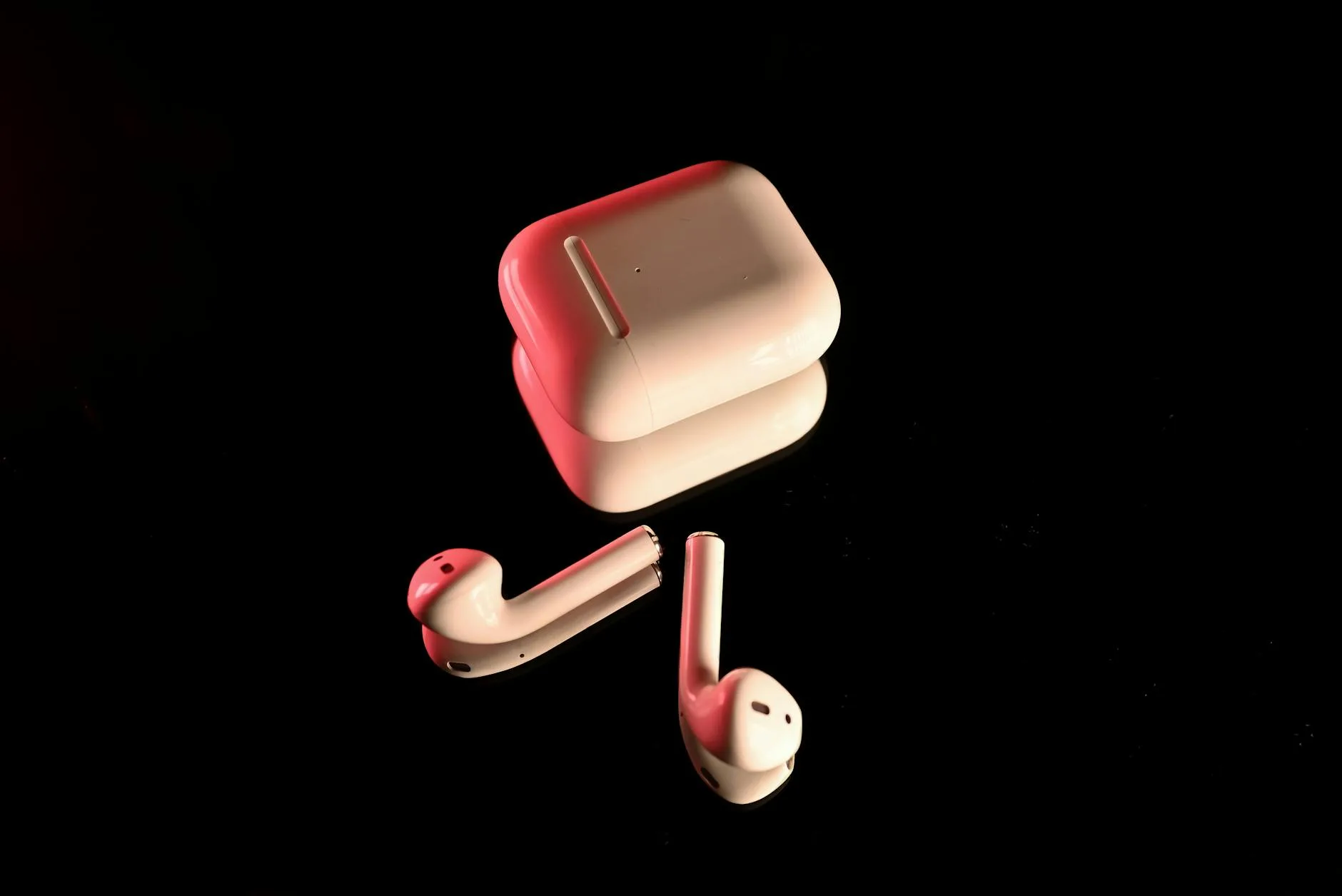
Owners of white AirPods cases will be familiar with the denim dye transfer that turns the case blue over weeks. Isopropyl alcohol on a cotton bud removes this — discovered through trial and error after my own case looked like it had been through a washing machine with a pair of jeans.
Charging Issues
If your earbuds aren’t charging reliably, dirty contacts are the most common cause. Clean both the earbud contacts and the case charging pins. If cleaning doesn’t fix it, check for debris lodged in the case wells — a wooden toothpick (not metal) gently dislodges anything stuck in the crevices.
Maintaining Ear Pads and Headbands
When to Replace Ear Pads
Replace ear pads when:
- The foam has permanently compressed and no longer springs back
- Protein leather is cracking, peeling, or flaking
- Fabric is stained or smells despite cleaning
- Sound has changed — collapsed pads alter the acoustic seal, which affects bass response
Choosing Replacement Pads
If you’re choosing between open-back and closed-back headphones, pad material matters for both comfort and sound. Third-party replacement pads from brands like Brainwavz and Dekoni often improve on stock pads — thicker memory foam, better materials, and sometimes improved sound isolation. Prices range from £15-40 depending on material and headphone model. Amazon UK and the manufacturer’s website are the safest sources.
Headband Maintenance
Leather and pleather headbands benefit from occasional conditioning with a small amount of leather balm — the same type you’d use on shoes. This prevents cracking and keeps the material supple. Fabric headbands can be wiped but are essentially non-replaceable on most models, so prevention (regular wiping) is better than cure.
Cable and Connector Care
Detachable Cables
If your headphones use a detachable cable, disconnect it monthly and wipe both connectors (headphone end and plug end) with a dry cloth. Oxidation on 3.5mm or 2.5mm jacks causes crackling and intermittent connection. A light rub with isopropyl alcohol on a cotton bud removes tarnish. For more detail on cable types and care, our audio cables guide covers the different connector standards.
Preventing Cable Damage
- Never wrap cables tightly around the headphones — this stresses the wire at the connection point and eventually causes an internal break
- Use the over-under wrapping method — alternating coiling direction prevents the cable from developing a permanent twist
- Pull from the plug, not the cable — yanking the cable puts strain on the solder joint inside the connector
Wireless Headband Contacts
Wireless headphones with folding mechanisms accumulate dirt in the hinge. A dry brush keeps it clear. If the hinge becomes stiff, a tiny amount of silicone lubricant on a cotton bud restores smooth movement.
Storage and Long-Term Care
Daily Storage
- Use a headphone stand or hook — keeps pads ventilated and prevents headband deformation from laying flat
- For in-ears and true wireless, return them to their case after every use
- Avoid leaving headphones in direct sunlight — UV degrades plastics and leather, and heat warps ear pad foam
Travel Storage
A hard case protects headphones from impact, dust, and compression damage in a bag. Many premium headphones come with one; if yours didn’t, universal cases cost about £10-20 from Amazon UK. For the complete picture on how headphone design affects your buying decision, our headphone buyer’s guide walks through every consideration.
Long-Term Storage
If you’re not using headphones for weeks or months:
- Clean them thoroughly first — skin oils left on pads will degrade them during storage.
- Remove batteries from wireless models if they have replaceable batteries. For rechargeable models, store at roughly 50% charge — full charge or completely flat both stress lithium cells.
- Store in a case or breathable bag, not a sealed plastic bag (moisture can accumulate).
- Avoid extreme temperatures — a cold garage or hot car interior damages materials and batteries.
Frequently Asked Questions
How often should I clean my headphones? For over-ear headphones used daily, wipe the ear pads and headband weekly and do a thorough clean monthly. For in-ear monitors and true wireless earbuds, clean after every use or at minimum weekly. The nozzle mesh on in-ears collects wax rapidly and should be checked before each listening session.
Can I wash headphone ear pads? It depends on the material. Silicone tips from in-ears can be washed in warm soapy water. Fabric and velour pads can be gently spot-cleaned. Protein leather and pleather should only be wiped with isopropyl alcohol on a cloth — never submerged. Foam pads should be wiped dry, not soaked.
Why do my headphones smell? Sweat, skin oils, and bacteria accumulate on ear pads over weeks. Fabric and foam pads absorb these more than leather or silicone. Clean with isopropyl alcohol to kill bacteria causing the odour. If cleaning doesn’t resolve it, the pads need replacing — the smell is embedded in the foam.
How do I remove ear wax from earbuds? Hold the earbud nozzle-down, brush gently with a dry soft-bristle brush, then press Blu Tack against the mesh to lift compacted wax. Never push anything into the nozzle — debris can block or damage the driver. If the mesh is removable, soak it in isopropyl alcohol for 5 minutes.
Do dirty headphones affect sound quality? Yes, particularly in-ear models. Wax blocking the nozzle mesh muffles treble and reduces volume. Over-ear headphones are less affected, but compressed or degraded ear pads change the acoustic seal around your ear, altering bass response. Regular cleaning maintains both hygiene and audio performance.