You’ve just spent £300 on a pair of headphones, plugged them into your phone, and hit play on a Spotify playlist. It sounds good — better than your old earbuds, definitely. But then someone mentions “hi-res audio” and asks if you’re listening to lossless files, and suddenly you’re wondering whether you’ve been hearing half the music this whole time. That nagging feeling — am I actually getting my money’s worth from these headphones? — is exactly why this topic matters.
In This Article
- What Hi-Res Audio Actually Means
- The Numbers: Sample Rate and Bit Depth Explained
- Can You Actually Hear the Difference?
- Hi-Res Audio Formats You Need to Know
- Streaming Services and Hi-Res Audio
- Do You Need a DAC or Amplifier?
- Headphones and Speakers That Support Hi-Res
- Is Hi-Res Audio Worth It?
- How to Start Listening to Hi-Res Audio
- Frequently Asked Questions
What Hi-Res Audio Actually Means
Hi-res audio is any recording that exceeds CD quality. That’s the short version. CD quality is defined as 16-bit, 44.1kHz — a standard set back in the early 1980s when compact discs arrived. Hi-res audio goes beyond that, typically to 24-bit and sample rates of 48kHz, 96kHz, or even 192kHz.
The Japan Audio Society and the Consumer Electronics Association created the official definition: audio that exceeds CD-quality in either sample rate, bit depth, or both. You’ll sometimes see a little gold logo — a stylised “Hi-Res Audio” badge — on headphones, DACs, and music players. That certification means the hardware can reproduce frequencies up to 40kHz, roughly double what CD quality covers.
What It’s Not
Hi-res audio isn’t a magic wand. It doesn’t make badly recorded music sound good. A poorly mixed track at 24-bit/192kHz will still sound worse than a brilliantly engineered CD-quality recording. The format is only as good as the mastering behind it.
It’s also not the same as “loud” or “bassy.” Hi-res audio is about capturing more detail from the original recording — finer gradations in volume, extended frequency range, and less noise in quiet passages. Whether you notice those differences depends on your ears, your equipment, and how carefully you listen.
The Numbers: Sample Rate and Bit Depth Explained
These two numbers get thrown around constantly, so here’s what they actually mean in plain English.
Sample Rate
Think of it like frames in a video. A higher frame rate captures smoother motion; a higher sample rate captures more audio snapshots per second. CD quality takes 44,100 snapshots every second (44.1kHz). Hi-res audio might take 96,000 or 192,000.
The Nyquist theorem — yes, it sounds academic, but it’s dead simple — says you need a sample rate at least double the highest frequency you want to reproduce. Human hearing tops out at roughly 20kHz (and that’s for teenagers; most adults over 30 peak around 15-16kHz). CD’s 44.1kHz sample rate already captures everything we can hear, with a comfortable margin.
So why go higher? Two reasons:
- Cleaner filtering. Higher sample rates give engineers more room between the audible frequencies and the filter cutoff, which can reduce artefacts in the transition band
- Archival accuracy. For studios and producers, capturing at 96kHz or 192kHz preserves detail that might be useful during mixing, even if the final consumer version doesn’t need it
Bit Depth
Bit depth determines the dynamic range — the gap between the quietest and loudest sounds a recording can capture. At 16-bit, you get about 96 decibels of dynamic range. That’s excellent. A quiet room is around 30dB, and the threshold of pain is about 130dB, so 96dB covers an enormous range.
At 24-bit, that jumps to a theoretical 144dB of dynamic range. No real-world recording needs that much — nothing in nature spans 144dB. But the extra headroom does something practical: it reduces quantisation noise. Those tiny rounding errors that happen when analogue sound is converted to digital numbers become much smaller at 24-bit, making very quiet passages cleaner.
Can You Actually Hear the Difference?
This is the honest question, and the honest answer is: it depends, and probably less than you’d expect.
Multiple blind listening tests — including well-known ones by the Audio Engineering Society — have found that most listeners cannot reliably distinguish between CD-quality and hi-res audio when levels are matched and the test is properly blinded. Some trained listeners with excellent hearing can pick out differences in certain recordings, particularly acoustic music with lots of dynamic range. For a related angle, see our Best Wireless Earbuds for Running 2026 guide.
I’ve spent a fair amount of time A/B testing between 16-bit/44.1kHz and 24-bit/96kHz files through a decent DAC and a pair of Sennheiser HD 660S headphones. On some tracks — particularly well-recorded jazz and classical with quiet passages — there’s a very subtle sense of “more space” and slightly cleaner decay on hi-res. On most pop, rock, and electronic music, I honestly couldn’t tell the difference blind.
Where Hi-Res Shines
- Acoustic and classical music with wide dynamic range and natural reverb
- Jazz recordings where brush work, room tone, and subtle instrument textures matter
- Well-mastered audiophile releases (think Chesky Records, 2L, Reference Recordings)
Where It Doesn’t Matter Much
- Heavily compressed pop and rock — the mastering has already squashed the dynamic range
- Listening in noisy environments — commuting, gym, busy office
- Bluetooth headphones — Bluetooth codecs compress the audio anyway, so your hi-res file gets downsampled before it hits your ears (even LDAC, the best widely available codec, tops out at 990kbps)
Hi-Res Audio Formats You Need to Know
If you’ve already read our guide to audio file formats explained, you’ll have a head start here. For hi-res specifically, these are the formats that matter:
- FLAC (Free Lossless Audio Codec) — the gold standard. Open source, widely supported, lossless compression. A 24-bit/96kHz FLAC file runs about 30-40MB for a four-minute track. Plays on virtually everything except Apple devices natively (though third-party apps handle it fine)
- ALAC (Apple Lossless) — Apple’s equivalent of FLAC. Identical sound quality, slightly worse compression ratio. If you’re in the Apple ecosystem, Apple Music uses ALAC for its lossless tier
- WAV — uncompressed, lossless, enormous files. Mainly used in studios. No real advantage over FLAC for listening since FLAC decodes to the identical data
- DSD (Direct Stream Digital) — a completely different approach. Instead of PCM sampling, DSD uses a 1-bit signal at an extremely high rate (2.8MHz or 5.6MHz). Popularised by Super Audio CDs (SACD). Some audiophiles swear by its “analogue” character, though blind tests rarely show consistent preferences over equivalent-resolution PCM
- MQA (Master Quality Authenticated) — a controversial format that uses “folding” to pack hi-res data into smaller files. Was Tidal’s format of choice for years, but MQA Ltd went into administration in 2023, and support has been declining since. Not recommended for building a music library
Streaming Services and Hi-Res Audio
The landscape has changed a lot in the last couple of years. Here’s where things stand for UK listeners:
- Apple Music — includes lossless (up to 24-bit/192kHz in ALAC) at no extra cost with any subscription. Works on iPhone, iPad, Mac, Apple TV, and some third-party devices. No hi-res over Bluetooth though — you need a wired connection and a DAC for anything above 48kHz
- Amazon Music Unlimited — includes “Ultra HD” (up to 24-bit/192kHz) at the standard subscription price. Good catalogue, works with Echo devices, and supports spatial audio
- Tidal — offers HiFi Plus (up to 24-bit/192kHz) though pricing has changed several times. Strong catalogue for jazz, hip-hop, and electronic. Ditched MQA exclusivity and now streams standard FLAC
- Qobuz — the audiophile’s choice. UK subscription from about £13/month for Studio quality (24-bit/192kHz). Smaller catalogue than Spotify but excellent for classical, jazz, and audiophile recordings. Also sells hi-res downloads if you want to own the files
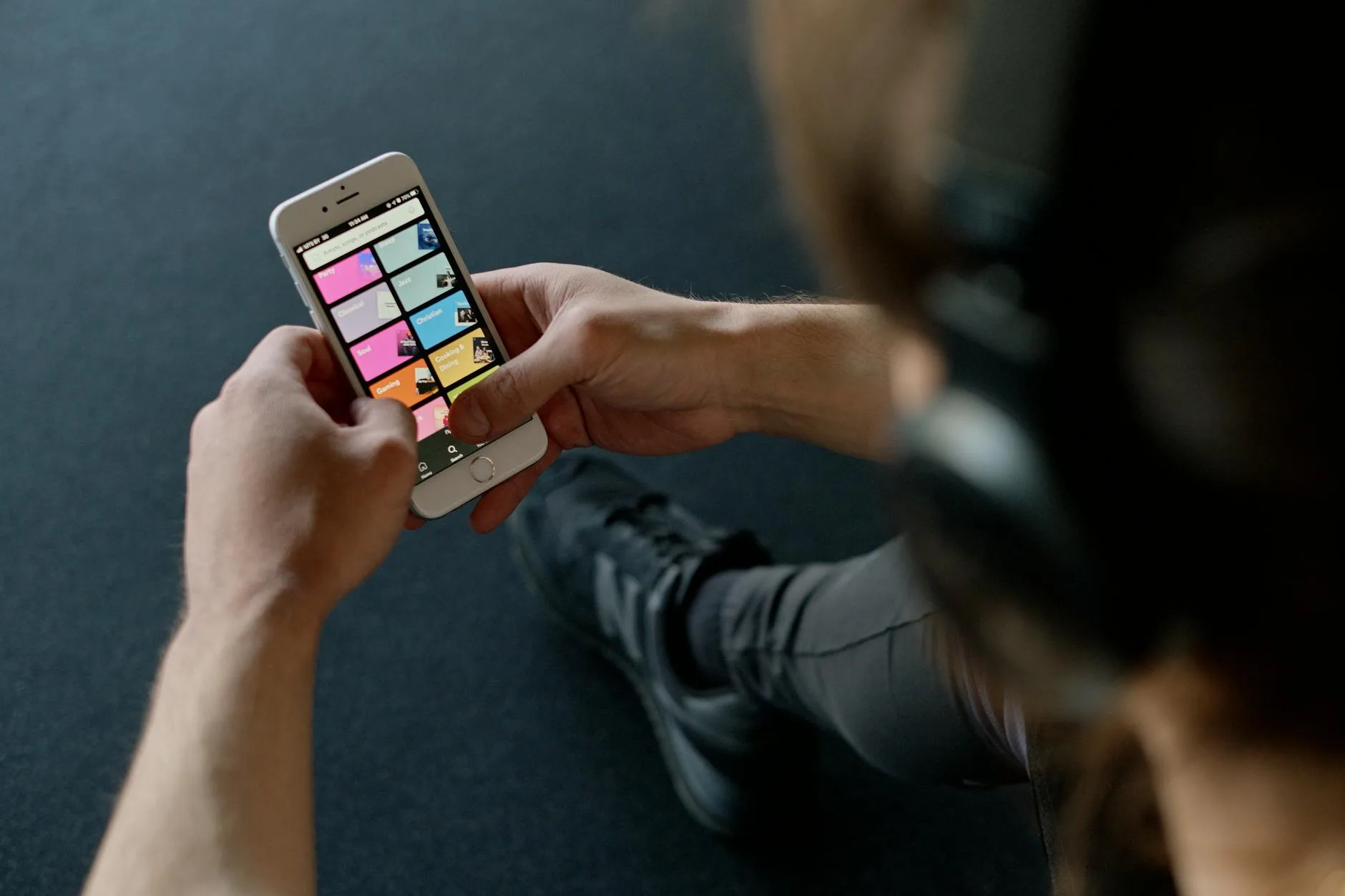
- Spotify — still doesn’t offer lossless. “Spotify HiFi” has been promised since 2021 but hasn’t materialised. Maximum quality is 320kbps Ogg Vorbis, which sounds perfectly good but isn’t lossless
- Deezer — offers FLAC streaming at CD quality on its premium tier. True hi-res beyond 16-bit/44.1kHz is more limited
For most people, Apple Music or Amazon Music Unlimited offers the best value — you’re getting hi-res audio included with a standard subscription.
Do You Need a DAC or Amplifier?
Your phone already has a DAC — it’s how it converts digital music files into the analogue signal that drives your headphones. The question is whether an external DAC sounds better.
When a Dedicated DAC Matters
If you’re listening through wired headphones costing £150 or more and using lossless files, an external DAC can make a noticeable difference. The DACs in phones are decent but constrained by space, power, and cost. A dedicated unit typically has:
- Lower noise floor — less hiss in quiet passages
- Better channel separation — the left and right channels are more distinct
- More power — drives higher-impedance headphones without distortion
For desktop listening, something like the iFi Zen DAC V2 (about £150) or the Topping DX3 Pro+ (about £200) will outperform any phone or laptop’s built-in audio. I switched from my MacBook’s headphone jack to an iFi Zen about two years ago and the difference in background noise alone was worth it — dead silent between tracks where before there was a faint hiss. If you already own a pair of DACs under £200, you’re well set for hi-res.
When It Doesn’t
If you’re using Bluetooth headphones, an external DAC is pointless — the Bluetooth codec is the bottleneck, not the source. If you’re listening through the speakers on your laptop, same story. And if you’re using earphones under about £50, the earphones themselves are the limiting factor, not the DAC.
Amplifiers
Most headphones under 80 ohms of impedance (which covers the vast majority of consumer headphones) don’t need a separate amplifier. Your phone can drive them fine. High-impedance headphones — Beyerdynamic DT 990 Pro (250 ohms), Sennheiser HD 600 (300 ohms) — really benefit from dedicated amplification. If you’re curious about impedance and what it means for your setup, our guide to headphone impedance explained covers it in detail.
Headphones and Speakers That Support Hi-Res
Here’s a slightly awkward truth: almost any decent wired headphone or speaker already “supports” hi-res audio. The hi-res badge on headphones means the driver can reproduce frequencies up to 40kHz — but most quality drivers do this anyway, badge or not.
What to Look For
- Wired connection — essential for true hi-res. No Bluetooth codec can currently pass 24-bit/96kHz without compression
- Good driver quality — the headphone or speaker needs to be resolving enough to reveal the extra detail. Budget models will play hi-res files but won’t extract the additional quality. I’ve tested hi-res tracks through £20 earphones and £300 open-backs side by side — the cheap pair sounds fine, but all that extra resolution is wasted on drivers that can’t resolve it
- Low impedance or separate amp — ensure your source can properly drive the headphones
Recommended Starting Points
For headphones that genuinely reward hi-res files:
- Budget (under £100): AKG K361, Audio-Technica ATH-M40x — both wired, both surprisingly detailed
- Mid-range (£100-300): Sennheiser HD 560S (about £130), Beyerdynamic DT 900 Pro X (about £230) — open-back designs that breathe and reveal detail
- Premium (£300+): Sennheiser HD 660S2 (about £430), HiFiMAN Sundara (about £300) — properly transformative with well-mastered hi-res files
For the full picture on choosing the right pair, see our complete headphone buyer’s guide.
Is Hi-Res Audio Worth It?
Here’s my honest take: it depends entirely on how you listen.
If you sit down at a desk with wired headphones, a decent DAC, and actually pay attention to the music — not as background while working, but really listening — hi-res audio is a real upgrade for certain genres. The difference is subtle, not dramatic, but it’s there. Classical, jazz, acoustic folk, and well-produced electronic music all benefit.
If you mostly stream through Bluetooth earbuds while commuting or play music through a smart speaker in the kitchen, hi-res audio is a waste of money and storage space. You won’t hear the difference, and that’s not a criticism of your ears — it’s physics. The playback chain simply can’t deliver the extra quality.
The Practical Cost
- Streaming: Apple Music and Amazon include hi-res at standard prices — no extra cost
- Downloads: Expect to pay £8-15 per album from Qobuz or Bandcamp for hi-res files, compared to free-with-subscription streaming
- Hardware: A capable DAC starts at about £50 (Apple USB-C to 3.5mm dongle, iFi GO bar) and a good pair of wired headphones from £100
- Storage: Hi-res FLAC files are 3-5x larger than CD-quality FLAC. A 500-album collection might need 1-2TB of storage
How to Start Listening to Hi-Res Audio
If you’re curious and want to try it without spending anything upfront, here’s the simplest path:
- Sign up for Apple Music or Amazon Music Unlimited (free trial available for both)
- Go into settings and enable lossless/hi-res streaming — it’s off by default on both services
- Use wired headphones. Any pair. Even the ones that came with an older phone
- Play something well-recorded — try Norah Jones “Come Away with Me” (24-bit remaster), Dire Straits “Brothers in Arms” (one of the first digitally recorded albums), or any Chesky Records release
- Compare the same track at standard quality (AAC 256kbps) and lossless (24-bit). Use your streaming app’s quality toggle to switch back and forth
If you can hear a difference and it matters to you, then it’s time to consider better headphones and a dedicated DAC. If you can’t — and that’s perfectly normal — save your money and enjoy the music at standard quality. There’s no shame in it. The recording matters more than the format.
Frequently Asked Questions
Is hi-res audio the same as lossless audio? Not exactly. Lossless means no data is lost during compression — CD-quality FLAC is lossless but isn’t hi-res. Hi-res audio specifically means the recording exceeds CD quality (16-bit/44.1kHz) in sample rate, bit depth, or both. All hi-res audio is lossless, but not all lossless audio is hi-res.
Can I hear hi-res audio through Bluetooth headphones? Not really. Even the best Bluetooth codec (Sony’s LDAC at 990kbps) compresses the signal heavily compared to a wired connection. You’ll get good sound, but the hi-res advantage is lost in the Bluetooth compression. For true hi-res listening, wired headphones with a DAC are essential.
Does Spotify support hi-res audio? No. As of 2026, Spotify’s maximum streaming quality is 320kbps Ogg Vorbis, which is lossy. Spotify announced “Spotify HiFi” in early 2021 but has not launched it. For hi-res streaming, Apple Music, Amazon Music Unlimited, Tidal, or Qobuz are your options in the UK.
What equipment do I need for hi-res audio? At minimum: a source with hi-res files (streaming service or downloads), wired headphones, and ideally an external DAC. The Apple USB-C to 3.5mm dongle (about £9) is a surprisingly capable starter DAC. Pair it with headphones in the £100+ range and you’ll hear what hi-res can do.
Is hi-res audio worth the extra storage space? Only if you’re building a permanent music collection. A hi-res FLAC album takes 1-2GB compared to about 400MB for CD-quality FLAC. If you stream rather than download, storage isn’t an issue — the service handles it. For downloaded collections, an external SSD or NAS makes more sense than filling your phone’s storage.