Audio cables quality explained properly is less mysterious than most hi-fi marketing makes it sound: cable quality matters when it prevents a real electrical or mechanical problem, not when it promises magic. A £7 optical cable that locks cleanly will not sound worse than a £70 one, but a flimsy RCA lead next to a power brick can hum, crackle or fail after a few months. The trick is knowing which cable faults are real, which specs matter, and where your money is better spent elsewhere.
In This Article
- Audio Cables Quality Explained: The Short Answer
- Analogue, Digital and Speaker Cables Behave Differently
- Where Better Cable Quality Actually Helps
- Where Expensive Cables Are Mostly Marketing
- What to Spend in the UK
- How to Diagnose Cable Problems Before Replacing Gear
- Cable Buying Rules I Would Actually Follow
- Frequently Asked Questions
Audio Cables Quality Explained: The Short Answer
Cable quality matters most when the cable has to carry a weak analogue signal, travel a long distance, handle power, or survive being moved often. It matters least when a short digital cable either meets the spec or it does not.
That is the whole article in one sentence, but it is easy to apply badly. People overspend on thick HDMI leads for short TV runs, then use bargain-bin speaker cable across a room and wonder why the terminals feel loose. They buy a premium USB cable for a DAC, then ignore the noisy laptop charger plugged into the same extension block.
For most UK living-room and desk systems, I would spend enough to get:
- Proper connectors: snug plugs that do not wobble or pull out under their own weight.
- The right certification: especially for HDMI 2.1, USB-C power/data and long active cables.
- Sensible thickness: speaker cable gauge should match the run length and amplifier load.
- Decent strain relief: the cable should not split where it meets the plug after a few months.
- No needless jewellery: heavy metal barrels, exotic braiding and huge boxes on short cables rarely help the sound.
The useful mental split is simple. If the cable is the wrong type, damaged, too long, badly shielded or under-specced, it can cause audible or visible faults. If it is the right type, in good condition, and already doing the job cleanly, paying five times more is unlikely to upgrade the sound. That is why I treat cables as reliability and compatibility purchases first, not tone controls.
This also means the answer changes by cable type. A turntable phono lead is not the same problem as an HDMI cable. Speaker wire is not the same problem as optical. Explaining cable quality without that distinction becomes pub debate dressed up as advice.
Analogue, Digital and Speaker Cables Behave Differently
The biggest mistake is talking about all cables as if they work the same way. They do not. If you want the cable-quality question to make sense, start with the signal.
Analogue interconnects
Analogue interconnects carry a changing electrical signal that represents the music. RCA, 3.5mm aux, 6.35mm jack and XLR all sit in this world. The signal can pick up noise, especially over longer runs or near power supplies, routers, dimmer switches and cheap wall chargers.
This is where better shielding, connector fit and build quality can matter. A thin £3 aux cable from a petrol station might work for a car journey, but I would not use it between a turntable preamp and amplifier. For home hi-fi, a £10-£25 RCA cable from Fisual, KabelDirekt, UGREEN, Chord C-Line or Cambridge Audio is usually the sensible zone. You are buying clean construction, not fairy dust.
Balanced XLR cables are a bit different because they are designed to reject noise over longer runs. That is why studios use them. A basic 3m XLR cable from Stagg, Sommer, Cordial or Roland at about £10-£20 can be perfectly fine for a powered speaker or microphone setup. I care more about the connector and strain relief than the brand story.
Digital audio cables
Optical, coaxial digital, USB and HDMI carry digital data. The common claim is that expensive digital cables reveal more detail. In normal short home runs, that is not how I would spend money.
With digital, the cable usually either passes the data reliably or it causes faults: dropouts, clicks, handshake failures, no signal, picture sparkles, missing HDR modes, or a DAC that disconnects when you move the laptop. There is not a neat middle ground where a £90 cable makes a clean digital stream more musical than a working £12 cable.
That does not mean all digital cables are equal. It means the useful quality measure is whether the cable meets the required spec at the length you need. For HDMI, the official Ultra High Speed HDMI Cable Certification Program exists because high-bandwidth 4K/120Hz and 8K signals are harder to carry reliably than old 1080p signals. HDMI Licensing explains the certification and label system on its official Ultra High Speed HDMI cable page.
Speaker cable
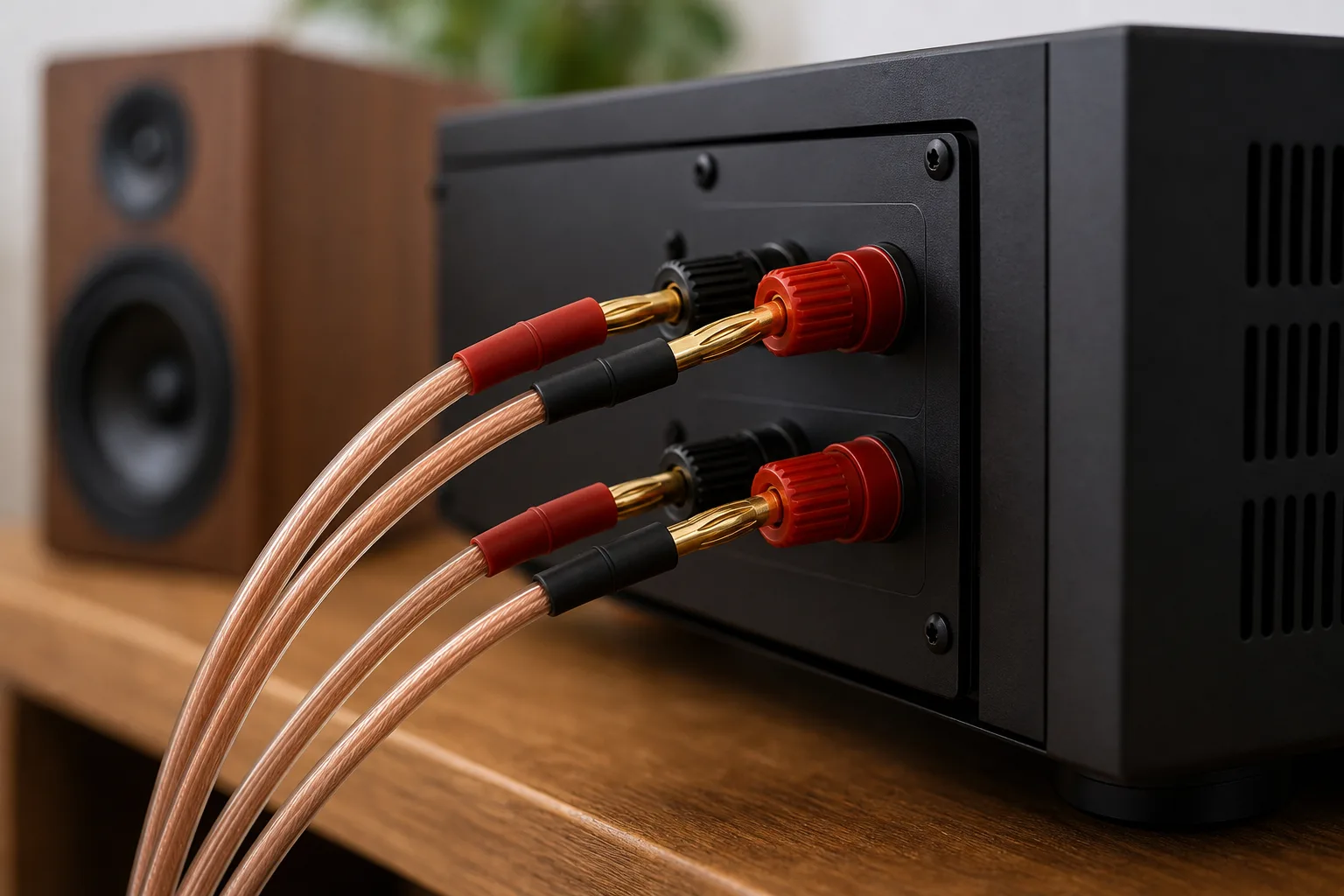
Speaker cable carries far more current than a line-level RCA lead. Here, thickness and length matter in a practical way. Use wire that is too thin over a long run and you add resistance between amplifier and speaker. That can waste power and, in more demanding systems, affect control.
For normal short UK living-room runs, 1.5mm² oxygen-free copper speaker cable is fine. For longer runs, awkward routes or lower-impedance speakers, I would move to 2.5mm². A 10m reel of 2.5mm² copper speaker cable is often about £15-£35 from Richer Sounds, Amazon UK, CPC, Screwfix or specialist AV retailers. You do not need £300 speaker cable for a £400 amplifier and bookshelf speakers.
If you are unsure how cable choice relates to impedance and amplifier load, pair this article with our guide to wiring speakers in series vs parallel and our plain-English guide to speaker specifications. Those two topics affect real performance far more than luxury cable jackets.
Where Better Cable Quality Actually Helps
There are real reasons to avoid the cheapest cable in the basket. They are just more boring than most adverts suggest.
Shielding and noise rejection
Shielding matters most on analogue cables carrying low-level signals. Turntables are the classic example. A moving-magnet cartridge sends a tiny signal to a phono preamp, so poor shielding, bad grounding or a loose RCA plug can make hum painfully obvious.
On a desk, shielding can also help if your audio cable runs past a laptop charger, monitor power brick, USB hub and Wi-Fi router. I have had more audible trouble from messy cable routing than from “bad” DACs. Move the cable away from power leads first, then replace it if the crackle or buzz remains.
For RCA and 3.5mm cables, look for a flexible but not thread-thin jacket, firm plugs and basic shielding. You do not need a cable as thick as a garden hose. If the connector is so heavy that it strains a small DAC socket, that is worse, not better.
Connector fit and strain relief
The plug is often where cheap cables lose. A loose RCA plug can crackle when touched. A poor 3.5mm plug can lose one channel. A bargain HDMI cable can sag out of a wall-mounted TV because the housing is bulky and the strain relief is poor.
For frequently moved kit, I will pay a few pounds more for a cable that feels robust. Headphone adapters, USB-C DAC cables, DJ leads and desktop speaker cables all get bent, packed, unplugged and shoved behind things. A £12 cable that lasts three years beats a £4 cable that fails twice.
Length and bandwidth
Length is where cable quality can become more than preference. A 1m HDMI cable running from an Apple TV to a TV is easy. A 7.5m HDMI cable buried behind a media wall for 4K/120Hz gaming is not. That is when certification, active cable design or fibre HDMI can matter.
USB has similar issues. Short USB cables for a desktop DAC are usually painless. Long USB runs across a room can cause connection instability, especially if the cable is also expected to deliver power. USB-IF maintains official branding and compliance information for USB products through its Certified USB programme, which is worth checking when a cable has to carry serious power or high-speed data.
Optical Toslink is less prone to electrical interference because it uses light, but the plastic connectors can be fragile. Very cheap optical cables often fail mechanically before they fail sonically. Do not sharply bend them behind a cabinet and then blame the DAC.
Speaker wire thickness
Speaker cable gauge is one of the few cable specs I would actively check. If your speakers are either side of a TV stand, basic 1.5mm² cable is fine. If the run goes under a rug, around a room or to rear speakers, buy 2.5mm² and be done with it.
Banana plugs are optional. They make life easier if you unplug equipment often or if your amplifier terminals are awkward. A set of eight basic banana plugs is about £8-£20. They do not improve sound by themselves, but they can make a safer, tidier connection than bare wire jammed into a cramped binding post.
Where Expensive Cables Are Mostly Marketing
The worst cable advice starts with a tiny truth and inflates it into a shopping habit. Yes, cables can cause problems. No, that does not mean every system needs premium cabling.
Short digital cables
If a short HDMI, optical, coaxial or USB cable is passing the signal cleanly, a more expensive one will not usually make the treble sweeter, the bass tighter or the picture more cinematic. It may be built better. It may look nicer. It may last longer if you move it often. Those are valid reasons to buy it. Just do not pretend it is an EQ upgrade.
For HDMI, the practical question is bandwidth. If you need 4K/120Hz, VRR, HDR and eARC, buy a certified Ultra High Speed HDMI cable. If you only need 1080p from an older Blu-ray player, a basic High Speed cable may be enough. Our separate guide to the best HDMI cables for home cinema goes deeper into HDMI versions and certification.
Exotic materials
Gold-plated connectors are not magic. Gold resists corrosion, which is useful, but it does not transform a short home cable into a higher-resolution music source. Silver-plated conductors, cryogenic treatment and directional arrows are where I start keeping my wallet closed unless there is a measurable, setup-specific reason.
For most systems, room acoustics, speaker position and source quality are far bigger wins. Moving speakers 20cm can change the sound more than replacing every cable in the rack. If you are fighting harshness, weak bass or muddy dialogue, read our guides to speaker positioning and improving TV audio without a soundbar before buying boutique cables.
Brand prestige
Some expensive cable brands make well-built products. That does not make every expensive cable good value. The price often reflects dealer margin, finish, packaging and audiophile positioning as much as engineering.
My rule is blunt: cable spend should stay in proportion to the system. A £30 RCA cable in a £1,500 hi-fi setup is reasonable. A £300 RCA cable in a £500 system is not where I would put the money. I would rather upgrade speakers, add stands, improve placement or fix the room.
What to Spend in the UK
You do not need exact penny pricing to make a good cable decision, but you do need realistic UK ranges. These are the price bands I would use in 2026 for normal home audio and AV setups.
Budget setups
For Bluetooth speakers, basic TV audio, desktop speakers and entry-level DACs, the sensible cable zone is usually £5-£15 per cable.
Good examples:
- 3.5mm aux cable: £5-£10 from UGREEN, KabelDirekt, Amazon Basics or Anker on Amazon UK.
- Optical cable: £6-£12 from Amazon Basics, KabelDirekt or Lindy.
- Short HDMI cable: £6-£15, with certification if you need HDMI 2.1 features.
- Speaker cable: £12-£25 for a 10m reel of 1.5mm² or basic 2.5mm² copper cable.
At this level, avoid suspiciously thin cables, mystery no-name USB-C leads for power delivery, and anything with reviews mentioning dropouts, loose plugs or one-channel audio. I would rather buy a dull-looking cable from Lindy, Kenable, KabelDirekt or Cable Matters than a shiny unbranded cable with heroic claims.
Mid-range systems
For a proper hi-fi, AV receiver or turntable setup, £15-£40 per cable is the comfortable zone for most interconnects. You are paying for better plugs, nicer flexibility, better shielding and longer life.
Useful buys include:
- RCA interconnect: £15-£35 from Fisual, Cambridge Audio, Chord C-Line, QED or AudioQuest’s cheaper ranges.
- Phono cable: £20-£50 if your turntable has detachable leads and you are chasing hum.
- 2.5mm² speaker cable: £20-£45 for enough cable to wire a normal stereo pair cleanly.
- Certified HDMI 2.1 cable: £10-£25 for short runs from Belkin, Cable Matters, UGREEN, Anker or Amazon Basics.
This is where I would stop for most people. If the system still sounds poor, cables are unlikely to be the main problem. Check speaker placement, room reflections, amp settings and source quality. Our budget hi-fi system guide covers where the money normally makes the biggest difference.
Premium and awkward installs
Premium cable spend starts to make more sense when the installation is awkward, not when the cable is short and visible. In-wall HDMI, long subwoofer runs, studio XLR runs, outdoor speaker cable and wall-mounted TVs all reward reliability.
For these cases:
- Long HDMI runs: £40-£120 for a certified active or fibre cable, depending on length and spec.
- In-wall rated speaker cable: about £40-£100+ depending on length, conductor size and fire rating.
- Long subwoofer cable: £20-£50 for decent shielding and flexible routing.
- Studio XLR cables: £10-£30 each from Cordial, Sommer, Van Damme, Roland, Stagg or similar.
If a cable is going inside a wall, under flooring or behind fitted furniture, do not buy the cheapest option. Labour and rework cost more than the cable. For a normal open-backed TV unit, keep it sensible.
How to Diagnose Cable Problems Before Replacing Gear
Cable faults often impersonate bigger equipment problems. Before blaming the amplifier, DAC, speaker or TV, run a quick cable check.
Hum or buzz
Hum usually points to grounding, interference or an analogue cable problem. Turntables, subwoofers and RCA runs are the usual suspects.
Try this:
- Move the cable away from power supplies. Keep RCA and 3.5mm leads away from mains blocks, chargers and routers.
- Swap the cable left to right. If the hum follows the cable, you have found the problem.
- Check ground wires. Turntables often need the ground wire connected properly to the phono stage or amplifier.
- Try a shorter run. A long unbalanced cable is more likely to pick up noise.
If the hum is still there with a known-good cable, the issue may be a ground loop, phono stage, power supply or the way everything is plugged in.
Crackle or one channel dropping out
Crackle when you touch the cable usually means a loose connector, damaged conductor or dirty socket. This is common with cheap 3.5mm leads, old RCA cables and cables that have been sharply bent behind furniture.
Do not keep wiggling it and hoping. Replace the cable, clean the socket if appropriate, and check that the plug is fully seated. A £10 replacement can save you from misdiagnosing a perfectly good pair of speakers.
HDMI dropouts and missing modes
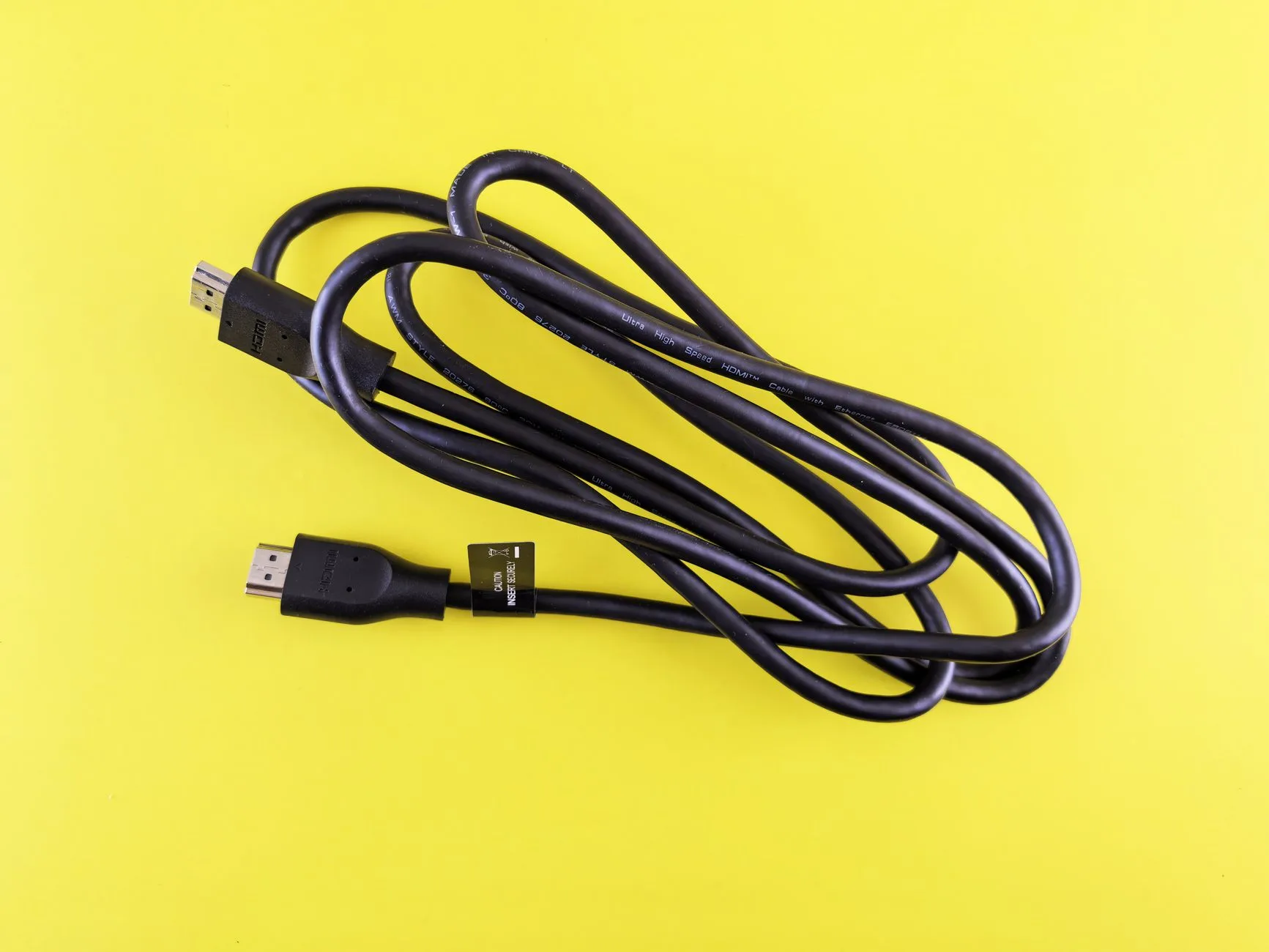
HDMI problems often show up as no signal, black screens, audio dropouts, missing 4K/120Hz, HDR not appearing, or eARC behaving badly. This is where cable spec matters.
Use the shortest cable that suits the layout. For modern consoles, gaming PCs, AV receivers and TVs, buy a certified Ultra High Speed HDMI cable. If the run is over 5m and has to carry high bandwidth, consider active or fibre HDMI rather than a cheap passive cable.
If you are setting up an AV receiver, our guide to choosing an AV receiver covers HDMI features that can create cable confusion, especially eARC, gaming inputs and multi-source setups.
Thin, harsh or weak sound
People sometimes blame cables for tonal problems that are really placement or settings issues. If the sound is thin, check speaker polarity first. Red to red, black to black. One speaker wired out of phase can wreck bass and imaging.
Next, check amp settings, room correction, subwoofer crossover and speaker position. Cable upgrades should be late in the troubleshooting chain, not the first move.
Cable Buying Rules I Would Actually Follow
If I were wiring a normal UK home setup from scratch, I would use these rules.
Spend for the job, not the promise
Buy the cable that meets the job. Short optical from TV to DAC? Basic branded cable. Turntable to phono stage near power supplies? Better shielded RCA. Long HDMI to a projector? Certified active or fibre. Rear speakers across a living room? 2.5mm² speaker cable.
That approach is boring, which is why it works.
Keep cable runs tidy and short
Cable quality cannot rescue a chaotic setup. Avoid tight coils of signal cable next to mains bricks. Do not crush optical cables behind a cabinet. Do not stretch a 1m cable until it pulls sideways on the socket. Leave enough slack to move equipment without stressing connectors.
For desktop systems, the easiest win is often a shorter cable and cleaner routing. A £7 0.5m cable can beat a £25 3m cable if the long one is looped around chargers and monitor power leads.
Choose certification for digital, construction for analogue
For HDMI and USB-C, certification and spec support matter. For RCA, XLR and 3.5mm analogue cables, construction matters more: shielding, plug fit, flexibility and strain relief.
For speaker cable, check material and size. Copper is the safe choice. Copper-clad aluminium is cheaper, but I avoid it for proper hi-fi and AV systems unless the budget is painfully tight. Use 1.5mm² for short, simple runs and 2.5mm² for longer runs or tidier future-proofing.
Replace suspect cables before upgrading boxes
If a cable crackles, cuts out, hums or has a visibly damaged connector, replace it before shopping for new electronics. That is not glamorous advice, but it saves money. I have seen people chase DAC upgrades when the real culprit was a tired 3.5mm lead or a loose RCA plug.
Do not let cables eat the system budget
As a rough rule, I would keep total cable spend under 5-10% of the system cost unless the installation is unusually demanding. For a £600 hi-fi, £30-£60 on the right cables is plenty. For a £2,500 AV setup with in-wall runs and a projector, spending more on certified, installer-friendly cables makes sense.
In practical terms, this comes back to proportion. Buy cables that remove faults, meet the spec and last. Put the rest of the budget into speakers, placement, room treatment and better source material.
Frequently Asked Questions
Do expensive audio cables improve sound quality? Expensive cables can improve reliability, shielding and connector quality, but they do not automatically improve sound. If a short cable already carries the signal cleanly, spending much more is unlikely to create a clear upgrade.
Does speaker cable thickness matter? Yes, especially over longer runs. For short home stereo runs, 1.5mm² copper speaker cable is usually fine. For longer runs, rear speakers or more demanding systems, 2.5mm² is the safer everyday choice.
Are gold-plated connectors worth it? Gold plating helps resist corrosion, so it is useful on plugs, but it is not a sound-quality upgrade by itself. A well-made non-flashy cable can beat a poor cable with shiny gold-coloured plugs.
Do HDMI cables affect sound quality? HDMI cables can cause dropouts, missing formats or handshake problems if they do not meet the required bandwidth, but a working certified HDMI cable should not make clean audio sound better just because it costs more.
What cable should I upgrade first? Replace any cable that crackles, hums, cuts out, fits loosely or is visibly damaged. After that, focus on cables with demanding jobs: turntable phono leads, long HDMI runs, long speaker runs and frequently moved desktop cables.
How much should I spend on audio cables? For most UK home setups, £5-£15 is enough for basic short digital cables, £15-£40 is sensible for better analogue interconnects, and £15-£45 usually covers normal speaker cable needs.