Bad TV sound is usually a speaker-placement problem wearing a software-settings disguise. Thin panels fire tiny drivers downwards or backwards, then streaming mixes bury dialogue under music and effects. If you want to improve TV audio without soundbar clutter, start with the free fixes, then decide whether powered stereo speakers, a small hi-fi amp, headphones or an AV receiver suit the room better.
In This Article
- Improve TV Audio Without a Soundbar: The Short Answer
- Fix the TV Settings First
- Make the Built-In Speakers Work Harder
- Use Powered Stereo Speakers
- Use an Existing Hi-Fi or AV Receiver
- Choose the Right TV Audio Connection
- Dialogue Clarity Without Waking the House
- Frequently Asked Questions
Improve TV Audio Without a Soundbar: The Short Answer
The best non-soundbar upgrade for most UK living rooms is a pair of powered stereo speakers connected by optical, HDMI ARC or a headphone/RCA output, depending on what your TV offers. You get better left-right separation, larger drivers and a cleaner music/dialogue balance than the TV speakers can manage.
The practical order is:
- Free: change sound mode, turn off fake surround, enable dialogue enhancement and level out volume.
- Cheap: add isolation feet, move the TV forward and stop cabinet surfaces swallowing the sound.
- Best value: powered speakers around £80-£180 from Edifier, Majority, Argon Audio, Ruark or similar.
- Best if you already own kit: connect the TV to a hi-fi amp or AV receiver.
- Best for late-night watching: Bluetooth or RF TV headphones, usually £40-£180.
I would not buy a random £35 “TV speaker” from Amazon UK unless the listener has a very specific accessibility need and just wants speech louder. For normal films, sport and drama, a proper pair of speakers beats a plastic dialogue box.
If you are building a wider system, our guide to setting up a home cinema on a budget covers the full room. This article stays tighter: better TV sound without putting a bar under the screen.
Fix the TV Settings First
Do this before spending money. Plenty of TVs ship in a sound mode designed to impress in a shop, not make BBC drama dialogue clear at home.
Change the Sound Mode
Start with the TV’s sound preset. Look for names like Standard, Movie, Cinema, Clear Voice, Speech, AI Sound, Adaptive Sound or Music. The wording changes by brand, but the pattern is similar.
Try these in order:
- Standard or Normal: the least processed baseline.
- Clear Voice, Speech or Dialogue: useful if voices are buried.
- Movie or Cinema: sometimes richer, sometimes too boomy.
- AI or Adaptive modes: worth trying, but turn them off if the sound keeps changing between scenes.
Samsung’s UK support pages point users to Sound Output settings when connecting external speakers, which is the right place to start before buying anything new. LG, Sony, Philips, Panasonic and Hisense bury the same ideas in slightly different menus.
The common mistake is leaving fake surround switched on. Virtual surround can widen effects, but it often pushes dialogue into a vague centre image that the TV speakers cannot reproduce properly. If voices are the problem, turn virtual surround off first.
Use Dialogue Enhancement Carefully
Dialogue enhancement is not magic. It usually lifts the frequencies where speech sits and compresses the mix so quiet lines become easier to hear. That can help, especially in flats where you keep the volume low.
The trade-off is that aggressive speech modes can make everything nasal and thin. Sport commentary may sound clearer, but music and films can become tiring. Use it for difficult programmes, not necessarily for everything.
If someone in the house has hearing loss, RNID’s TV and music guidance is worth reading because it covers settings, subtitles and assistive listening rather than treating volume as the only answer.
Turn Off Auto Volume If It Pumps
Auto volume, night mode and dynamic range compression can be useful. They reduce the jump between quiet dialogue and loud adverts, action scenes or streaming app idents. In a terraced house or flat, that can save arguments.
But some TVs overdo it. If the sound seems to swell and dip every few seconds, turn auto volume off and try the normal mode again. Compression should make the TV easier to live with, not make every scene breathe like a cheap Bluetooth speaker.
Make the Built-In Speakers Work Harder
This section sounds too basic until you try it. TV speakers are small, but placement can make them worse than they need to be.
Move the TV Forward
If the TV sits deep in a cabinet, sound reflects off shelves and side panels before reaching you. Pull it forward so the bottom edge is close to the front of the unit. Even 5-10cm can help.
For wall-mounted TVs, check whether the speakers fire downwards or backwards. If the TV is hard against a flat wall, rear-firing sound can become boxy. A small gap from the wall, where the mount allows it, can improve clarity.
Stop the Cabinet Rattle
Low voices, bass notes and crowd noise can make furniture buzz. Put a hand on the TV stand during a loud scene. If the cabinet vibrates, add soft isolation pads under the TV feet or tighten loose shelves.
Useful cheap fixes:
- Rubber isolation pads: about £5-£12 from Amazon UK or B&Q.
- Felt pads under ornaments: about £3-£8 from IKEA, B&Q or John Lewis.
- Cable tidy clips: about £4-£10 to stop cables tapping against furniture.
- Moving hard objects: free, and often more effective than expected.
If you hear a buzz only at certain volumes, do not assume the TV speaker is blown. It might be a picture frame, loose shelf peg, radiator cover or glass cabinet door joining in.
Add Soft Furnishings, Not Foam Panels
Bare rooms sound harsh. Wooden floors, glass doors and empty walls bounce treble around, which makes dialogue less distinct. You do not need recording-studio foam behind the sofa. A rug, curtains and a fabric sofa usually do more for a normal living room.
Our guide to soundproofing a room for better audio explains the difference between stopping sound leaving the room and making the room sound less echoey. For TV clarity, you mostly care about reducing reflections, not building a studio.
Use Powered Stereo Speakers
Powered stereo speakers are the cleanest soundbar alternative. They have built-in amplification, so you do not need a separate hi-fi amp. Put one speaker either side of the TV, connect a cable, and you get a wider, fuller sound.
Why Stereo Speakers Work
A soundbar tries to squeeze left, centre and right sound into one long box. Good ones do it well, but you asked for no soundbar. A proper stereo pair gives you physical separation: left speaker on the left, right speaker on the right.
That helps with:
- Dialogue anchoring: voices feel less trapped inside the TV cabinet.
- Music: fuller tone from larger drivers.
- Sport: crowd noise spreads wider without swallowing commentary.
- Games: better left-right cues than TV speakers.
The catch is space. You need somewhere stable for each speaker. If the TV sits on a narrow unit with no side room, a soundbar exists for a reason. But on a decent media unit, powered speakers are often the better-sounding buy.
What to Spend in the UK
Useful UK price bands:
- Budget powered speakers: £70-£100, such as Edifier R1280T-style speakers from Amazon UK or Richer Sounds.
- Optical-input speakers: £100-£180, such as Edifier R1280DB/R1700BT-style models, depending on sales.
- Compact premium speakers: £250-£450 from brands like Ruark, Audio Pro or Kanto.
- Small subwoofer add-on: £100-£250 if the speakers have a sub output and you want more bass.
For most people, the £100-£180 optical-input range is the sweet spot. You get a remote, Bluetooth for music, and a simple digital connection from the TV. I would rather buy a decent £130 powered pair than a bargain soundbar with vague bass and no stereo width.
Placement Matters
Put speakers roughly level with the TV, either side of the screen, angled slightly towards the sofa. Do not bury them inside closed shelves. If they must sit in a cabinet, bring them to the front edge so sound does not bounce around inside the box.
Our guide on how to position speakers for the best sound goes deeper, but the living-room version is simple: equal distance from the main seat, tweeters near ear height if possible, and nothing blocking the front of the speakers.
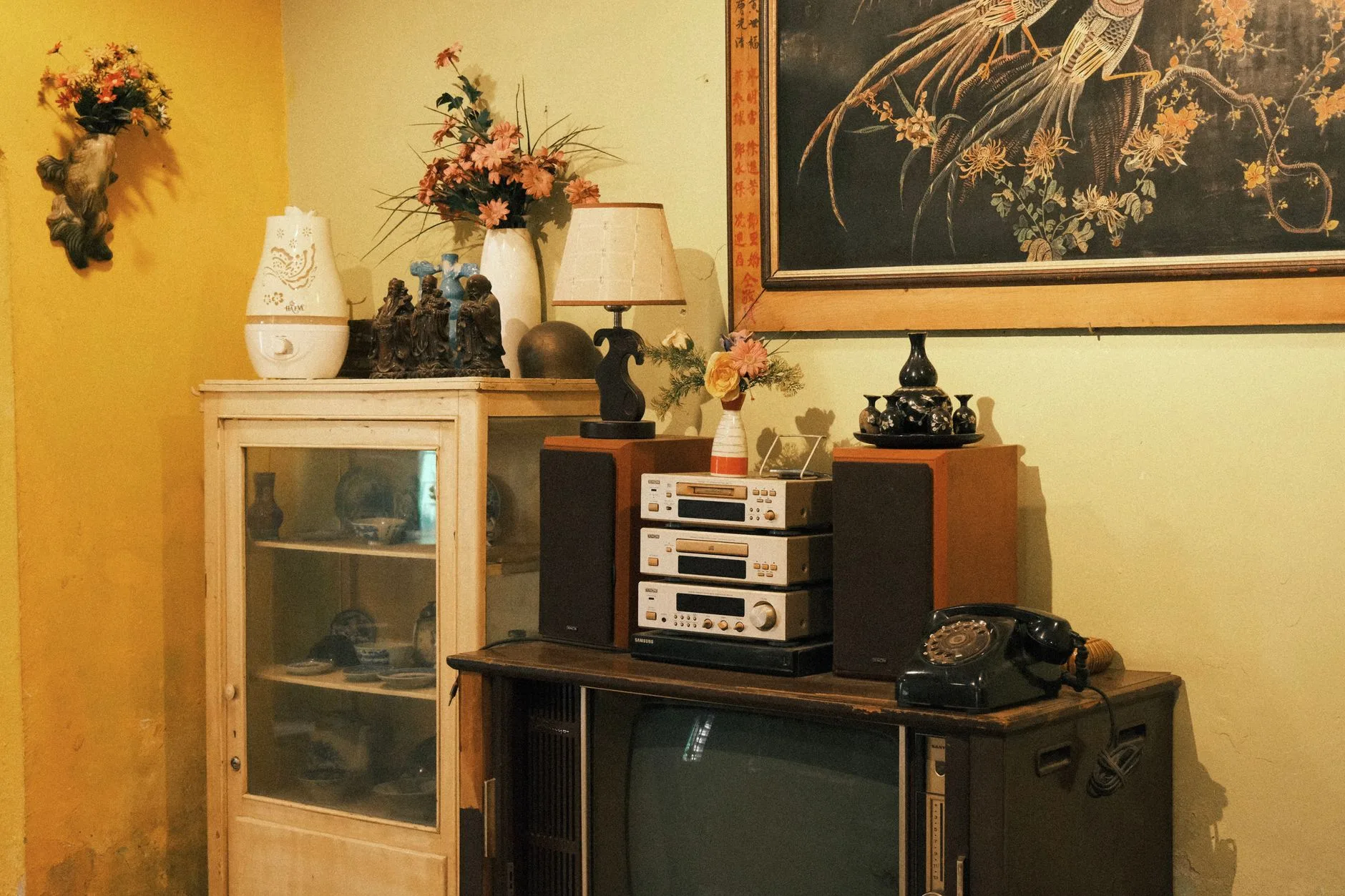
Use an Existing Hi-Fi or AV Receiver
If you already own a hi-fi amp, bookshelf speakers or an AV receiver, use them. The cheapest upgrade is often the kit sitting unused in another room.
Hi-Fi Amp and Bookshelf Speakers
A basic stereo amp plus passive bookshelf speakers can transform TV sound. Even an older Cambridge Audio, Denon, Marantz, Yamaha or Sony amp with a pair of Wharfedale, Q Acoustics or Monitor Audio speakers will usually beat built-in TV speakers by miles.
Typical used or budget UK costs:
- Used stereo amp: £50-£150 from eBay, Facebook Marketplace or Richer Sounds clearance.
- Budget passive speakers: £120-£250 new for Wharfedale Diamond, Q Acoustics or similar.
- Speaker cable: £10-£25 for a normal living room.
- Optical DAC if needed: £15-£40 to connect TV optical out to an analogue amp.
This is less neat than powered speakers, but it is more flexible. You can upgrade the speakers later, add better amplification, or use the system for music.
If you are tempted by a proper cinema setup, read how to choose an AV receiver before buying. AVRs are brilliant when you need HDMI switching and surround channels; they are overkill if you only want clearer EastEnders dialogue.
AV Receiver Without Surround Speakers
An AV receiver can run as a 2.0 or 2.1 system, so you do not need five speakers immediately. Start with front left and right speakers, then add a centre speaker later if dialogue still needs help.
The centre speaker is the real dialogue weapon in a surround setup. Films and TV mixes often place speech in the centre channel. If you eventually want that, a soundbar-free path is:
- AV receiver: about £300-£600 new, less used.
- Front left/right speakers: about £150-£400 per pair.
- Centre speaker: about £100-£300.
- Subwoofer later: about £200-£500 if you want film bass.
Do not buy all of this just because your TV sounds thin. Buy it because you want a real system. Otherwise powered stereo speakers are simpler.
Surround Alternatives
Wireless surround systems can work, but they are not automatically tidy. You still need power sockets, app setup and enough room for rear speakers. If you are comparing options, wireless surround sound limitations covers the practical snags.
For many UK living rooms, especially rentals and open-plan spaces, a strong 2.0 stereo setup is the sane middle ground: fewer boxes, better speech than the TV, and no cable run behind the sofa.
Choose the Right TV Audio Connection
The connection decides what audio formats you can send, whether the TV remote controls volume, and how annoying the system feels day to day.
Optical
Optical is the easiest choice for powered speakers and older hi-fi systems. It carries digital stereo and compressed surround formats. For a stereo speaker pair, that is usually enough.
Pros:
- Reliable: simple cable, no HDMI handshake drama.
- Common: many TVs still have optical output.
- Good for stereo: fine for powered speakers and DACs.
Cons:
- Volume control: some TVs do not control optical output volume, so you use the speaker remote.
- No high-bitrate formats: not the route for full modern surround.
- Small fragile connector: do not bend the cable sharply.
If your TV has optical and your powered speakers have optical, start there.
HDMI ARC or eARC
HDMI ARC sends TV audio back down an HDMI cable to an external audio device. HDMI.org describes eARC as the enhanced version that can carry higher-quality audio over the same broad idea. Dolby’s ARC/eARC explainer is also useful if you are trying to understand why some Atmos formats need more bandwidth.
For a no-soundbar setup, ARC/eARC matters most if you use an AV receiver or powered speakers with HDMI ARC. The big benefit is convenience: one HDMI cable and TV-remote volume control.
ARC is not always painless. Some TVs and receivers argue during handshake, especially with older HDMI cables or mixed-brand kit. If optical sounds just as good for your stereo pair and behaves better, use optical. Practical beats theoretical.
For surround formats, our Dolby Atmos vs DTS:X guide explains why the connection and source matter. For basic TV speech, do not overthink it.
Bluetooth
Bluetooth is convenient for headphones and casual speakers, but I would not use it as the main living-room TV connection unless latency is well controlled. Lip-sync delay is the danger. Some TVs handle it fine; some make speech look dubbed.
Bluetooth speakers also put all the sound in one place unless you use a proper stereo pair. That can be fine in a kitchen or bedroom, but it is rarely the best living-room upgrade.
Headphone or RCA Output
Some TVs still have a 3.5mm headphone socket or red/white RCA outputs. These can feed powered speakers or a hi-fi amp. They are easy, but not always clean: headphone outputs can hiss, distort at high TV volume, or mute the TV speakers when plugged in.
If it works cleanly, use it. If not, optical plus a small DAC is usually better.

Dialogue Clarity Without Waking the House
Sometimes the goal is not cinema sound. It is hearing dialogue at 10pm without annoying everyone else.
Use Headphones Properly
TV headphones are underrated. Bluetooth headphones are fine if your TV supports low-latency audio and lets you adjust delay. Dedicated RF TV headphones from Sennheiser, Sony or Avantree-style brands are often simpler for older TVs.
UK price guide:
- Basic Bluetooth headphones: £30-£80.
- Better noise-cancelling headphones: £120-£300 from Sony, Bose, Sennheiser or JBL.
- Dedicated TV headphone systems: £80-£220, often with a charging dock and optical input.
Check whether the TV can play sound through headphones and TV speakers at the same time. Some can, some cannot. That matters if one person wants headphones while everyone else listens normally.
Use Subtitles Without Treating Them as Failure
Subtitles are not an admission that your speakers are bad. Modern drama mixes can be murky, actors mumble, and streaming services vary. RNID’s accessibility guidance treats subtitles and assistive options as normal tools, which is the right attitude.
If subtitles are on every night because the TV sound is poor, fix the audio. If they are on for one gritty drama with whisper-heavy dialogue, join the club.
Add a Centre Speaker Later
If dialogue clarity is still the issue after stereo speakers, the next serious step is an AV receiver with a centre speaker. A centre channel anchors speech to the screen better than most two-speaker systems.
This is where you leave the “small upgrade” world. You need space, cabling and budget. But it is the right answer for film fans who refuse a soundbar and want proper dialogue control.
If the TV is part of a projector room rather than a normal lounge, our home cinema projector guide can help you think about screen and speaker placement together.
Frequently Asked Questions
Can I improve TV audio without buying a soundbar? Yes. Start with TV sound settings, then consider powered stereo speakers, an existing hi-fi amp, headphones or an AV receiver. Powered stereo speakers are usually the best value upgrade.
Are powered speakers better than a soundbar? They can be, especially for music and stereo width. A good soundbar is neater and can be better for very small TV units, but a decent powered speaker pair often sounds fuller for the money.
What is the cheapest way to improve TV dialogue? Try Standard or Speech mode, turn off virtual surround, move the TV forward and reduce cabinet rattles. If that fails, a £80-£150 powered speaker pair is the first paid upgrade I would consider.
Can I connect hi-fi speakers directly to my TV? Passive hi-fi speakers need an amplifier. You can connect the TV to a stereo amp, AV receiver or powered speakers, but you cannot wire normal passive speakers straight into most modern TVs.
Is optical or HDMI ARC better for TV audio? Optical is simple and reliable for stereo speakers. HDMI ARC or eARC is better for AV receivers, remote-volume convenience and higher-format support, but it can be fussier with older kit.
Do Bluetooth speakers work for TV sound? They can, but latency can cause lip-sync problems. Bluetooth headphones or speakers are fine if your TV handles delay properly; for a main living-room setup, optical or HDMI is usually safer.
Bottom line: You do not need a soundbar to make TV audio better. Fix the settings first, then choose the smallest external setup that solves the actual problem. For most homes, that is a £100-£180 pair of powered stereo speakers over optical. For film fans, it is an AV receiver and proper speakers. For late-night viewing, it is headphones. The wrong answer is buying another thin TV and expecting physics to apologise.