Wireless surround sound is tempting because it promises cinema-style rear effects without running speaker cable around the skirting board. The catch is that “wireless” rarely means cable-free, and the best setup depends on whether you want neat TV sound, proper home cinema, or fewer visible wires in a rented room.
In This Article
- Wireless Surround Sound Guide: The Short Version
- How Wireless Surround Sound Actually Works
- The Main Types of Wireless Surround Setups
- What Still Needs Wires
- Latency, Dropouts and Room Limits
- Sound Quality: Where Wireless Wins and Loses
- What to Buy in the UK
- Frequently Asked Questions
Wireless Surround Sound Guide: The Short Version
A wireless surround sound guide should start with the slightly annoying truth: most systems still need power cables. What disappears is usually the long speaker cable from the AV receiver or soundbar to the rear speakers. The rear speakers then receive their audio signal wirelessly, but they still plug into the mains, a shared rear amplifier, or a charging dock.
That can still be a big win. In a typical UK lounge, the hardest part of wired surround is not connecting the front speakers; it is getting cable safely and neatly behind the sofa, past a doorway, across laminate flooring, or around a fireplace. If wireless rear speakers save you chasing walls or lifting carpets, the extra cost makes sense.
The best systems are not generic Bluetooth speakers dotted around a room. They are matched kits from Sonos, Samsung, Sony, LG, Bose, Denon, Yamaha or a WiSA-compatible brand, where the centre channel, subwoofer and rear speakers are designed to stay in sync. Based on owner reports and installs we have seen in small living rooms, the biggest mistake is buying two wireless speakers and expecting any TV or AV receiver to treat them as proper rear channels. It usually will not.
For most UK homes, wireless surround suits three buyers, especially if you have already read the basics of how to set up a home cinema on a budget and know where your TV, sofa and sockets need to sit:
- Soundbar owners who want rear effects without moving to a full AV receiver.
- Renters who cannot lift floors, drill walls or hide cable permanently.
- Family living rooms where neatness matters as much as absolute sound quality.
If you own the room, want the best possible Atmos layout, and can run cable cleanly, wired separates still win. If you mainly want films to feel bigger without a weekend of cable management, wireless surround is often the better compromise.
How Wireless Surround Sound Actually Works
Wireless surround sound starts with the same job as wired surround: decode the soundtrack, split it into channels, and send each channel to the right speaker at the right time. In a 5.1 mix, that means front left, centre, front right, surround left, surround right and subwoofer. In an Atmos setup, height effects are added through up-firing drivers, ceiling speakers or virtual processing.
The signal path
Your TV, Apple TV, Sky Stream box, Blu-ray player or games console sends audio to a soundbar or AV receiver. That connection is normally HDMI ARC or eARC. The main unit decodes Dolby Digital, Dolby Atmos, DTS or PCM, then sends the rear-channel information to the wireless speakers using its own radio link, Wi-Fi, or a dedicated low-latency protocol.
The rear speakers have built-in amplification, or they connect to a small rear receiver/amplifier that powers both surrounds. Samsung and LG rear-speaker kits often use a compact rear wireless module. Sonos Era 100 or Era 300 speakers receive the rear signal over the Sonos network. WiSA systems use a dedicated wireless audio standard built for multi-channel speaker timing.
Why Bluetooth is not the answer
Bluetooth is fine for headphones and portable speakers, but it is a poor basis for proper surround sound. It has limited bandwidth, pairing limits, and latency that can make dialogue and effects feel detached from the picture. Some TVs can send Bluetooth audio to one or two devices, but that is not the same as decoding a 5.1 or 7.1 soundtrack into timed surround channels.
For home cinema, look for systems that support the formats you actually use. If the format names are already blurring together, our Dolby Atmos vs DTS:X comparison explains the main home-cinema difference. Dolby’s own speaker setup guidance explains standard 5.1, 7.1 and Atmos layouts, and it is worth checking before assuming a soundbar with “surround” on the box will place effects where you expect them. See the official Dolby speaker setup guides for the channel layouts behind the marketing names.
The timing problem
Surround sound only works if every channel arrives together. If rear effects are late by even a small amount, a passing car or helicopter sweep feels soft rather than convincing. Good wireless systems measure delay, compensate automatically, and keep the rear speakers locked to the front soundstage.
This is why mixing brands is risky. A Sonos Arc works with Sonos surrounds. A Samsung Q-series soundbar works with compatible Samsung rear kits. A Denon HEOS-capable receiver will not magically turn random Wi-Fi speakers into proper surround channels unless the model supports that exact function. Compatibility matters more than speaker shape.
The Main Types of Wireless Surround Setups
Wireless surround covers several different products. They overlap in shop listings, but they are not equally capable.
Soundbar with wireless rear speakers
This is the easiest route. You buy a soundbar package with a subwoofer and rear speakers, or you add the matching rear kit later. Prices in the UK start around £350 for basic Samsung or LG packages, rise to £700-£1,200 for stronger Dolby Atmos bars, and can pass £1,800 for Sonos Arc Ultra or Sony Bravia Theatre setups with premium surrounds.
The upside is simplicity. HDMI eARC from TV to soundbar, rear speakers paired through the app or remote, and room calibration handled in software. Currys, John Lewis and Richer Sounds usually carry the main options, while Amazon UK is useful for older rear-speaker kits when high-street stock dries up.
The downside is lock-in. If you buy a Samsung HW-Q990 series bar, you use Samsung’s rear speakers. If one rear speaker fails in five years, you cannot replace it with a random bookshelf speaker. That is fine if you want a neat TV-first system; less fine if you like upgrading piece by piece.
AV receiver with wireless rear options
Some AV receiver ecosystems support wireless surrounds, but this is more limited than people expect. Denon and Marantz have HEOS speakers, Yamaha has MusicCast, and some systems can use wireless speakers in surround roles depending on model and firmware. Check the exact receiver manual before buying, because “multi-room” does not always mean “wireless rear surround”. If you are still choosing the central box, start with how to choose an AV receiver for your setup before spending money on wireless rears.
The appeal is flexibility. You can still use proper front speakers and a real centre channel, then solve the rear-cable problem wirelessly. A capable AV receiver costs about £450-£900 in the UK before speakers, so this route is rarely cheaper than a soundbar package.
WiSA-style speaker systems
WiSA-compatible systems use a dedicated wireless audio approach for multi-channel speakers. They are less common on the UK high street but can work well where you want separate speakers without traditional speaker cable. Expect premium pricing: a full wireless speaker package can easily land between £1,500 and £3,000 once you include the transmitter, subwoofer and enough channels.
For most buyers, WiSA is interesting rather than the default recommendation. It makes more sense in a media room than in a busy family lounge where a soundbar package would do the job with fewer boxes.
Multi-room speakers used as surrounds
Sonos is the obvious example. A Sonos Arc or Beam can use Era 100, Era 300, One or compatible IKEA Symfonisk speakers as surrounds. Bose and Sony have similar closed ecosystems. The rear speakers double as music speakers when grouped normally, although surround mode usually ties them to the TV setup.
This route works best if you already like the brand’s app and music features. A Sonos Beam Gen 2 plus two Era 100 speakers is roughly £800-£900 at UK prices, before adding a Sub Mini at about £429. It is not cheap, but it is neat and family-friendly.

What Still Needs Wires
“Wireless” is a marketing word, not a building-control exemption from physics. The cleaner systems reduce signal cables; they do not remove every cable in the room.
Power cables
Most wireless rear speakers need mains power. If your sofa sits against a wall with sockets nearby, that is easy. If it floats in the middle of a room, you may still have visible power leads or need a discreet extension route. Battery-powered surround speakers exist, but charging becomes one more thing to forget before film night.
In rented flats, this matters more than people expect. You may not be allowed to add sockets or drill cable routes, so a rear wireless module tucked behind the sofa can be more practical than two powered speakers on stands.
HDMI and eARC
The soundbar or receiver still needs a reliable connection to the TV. HDMI eARC is the one to prioritise because it can carry higher-bandwidth formats and lets the TV pass audio back to the sound system. The HDMI Licensing Administrator’s enhanced Audio Return Channel overview is dry, but it confirms why eARC matters for modern audio formats.
Budget for a decent certified HDMI cable if yours is ancient. You do not need a £90 snake-oil cable, but a certified Ultra High Speed HDMI lead from KabelDirekt, Belkin, Lindy or Amazon Basics is usually £8-£20 and avoids a lot of handshake nonsense.
Speaker stands and mounts
Rear speakers work better at ear height, slightly behind the listening position. That often means stands, wall brackets or furniture placement. Stands cost about £40-£120 a pair from Amazon UK, Richer Sounds or AV.com, while wall brackets are often £20-£60 depending on the speaker. For angle and distance details, use our separate guide to positioning surround sound speakers rather than guessing from a product diagram.
Do not treat stands as cosmetic extras. If your rear speakers sit on the floor behind the sofa, the surround effect collapses into a vague rustle. We have heard good wireless kits sound mediocre simply because the rears were hidden behind cushions. No mystery there.
Latency, Dropouts and Room Limits
Wireless surround lives or dies by stability. A clean demo in a shop does not mean the system will behave the same in a Victorian terrace with thick walls, a router in the hallway, and ten other devices fighting for Wi-Fi.
What causes dropouts
Dropouts are usually caused by distance, interference or poor network placement. Common triggers include:
- Crowded Wi-Fi channels in flats or terraces where neighbours’ routers are close.
- Thick internal walls between the main unit, router and rear speakers.
- Hidden rear modules crammed behind radiators, metal furniture or TV cabinets.
- Weak mesh placement where the nearest node is still too far from the listening room.
- Firmware mismatches after one speaker updates and another does not.
A dedicated soundbar rear-speaker link is often more stable than a generic Wi-Fi speaker arrangement because the manufacturer controls the full chain. That is one reason matched kits are worth paying for.
How much latency is acceptable
For films, you may tolerate a small delay if the system compensates correctly. For gaming, delay becomes more obvious. Footsteps, gunfire and menu clicks make lag easier to spot than a gentle film soundtrack.
Many soundbars include an audio sync setting, but be careful: adjusting global lip-sync may fix dialogue while leaving rear effects feeling slightly late. If you mainly play PlayStation 5 or Xbox Series X, choose a system with strong low-latency reports from owners rather than trusting the spec sheet alone.
UK room realities
Small UK lounges can be both easier and harder. The short distances help wireless stability, but awkward layouts create placement problems. Bay windows, chimney breasts, alcoves and open-plan kitchen-diners all affect rear-channel balance.
Before buying, measure three things:
- Rear speaker distance from the main soundbar or receiver.
- Socket location near the sofa or rear wall.
- Clear line of sound from the rear speaker to your ears, not just line of sight to the TV.
If the only place for a rear speaker is on a bookshelf at shoulder height, that may work. If it has to sit inside a closed cabinet, wireless will not rescue it.
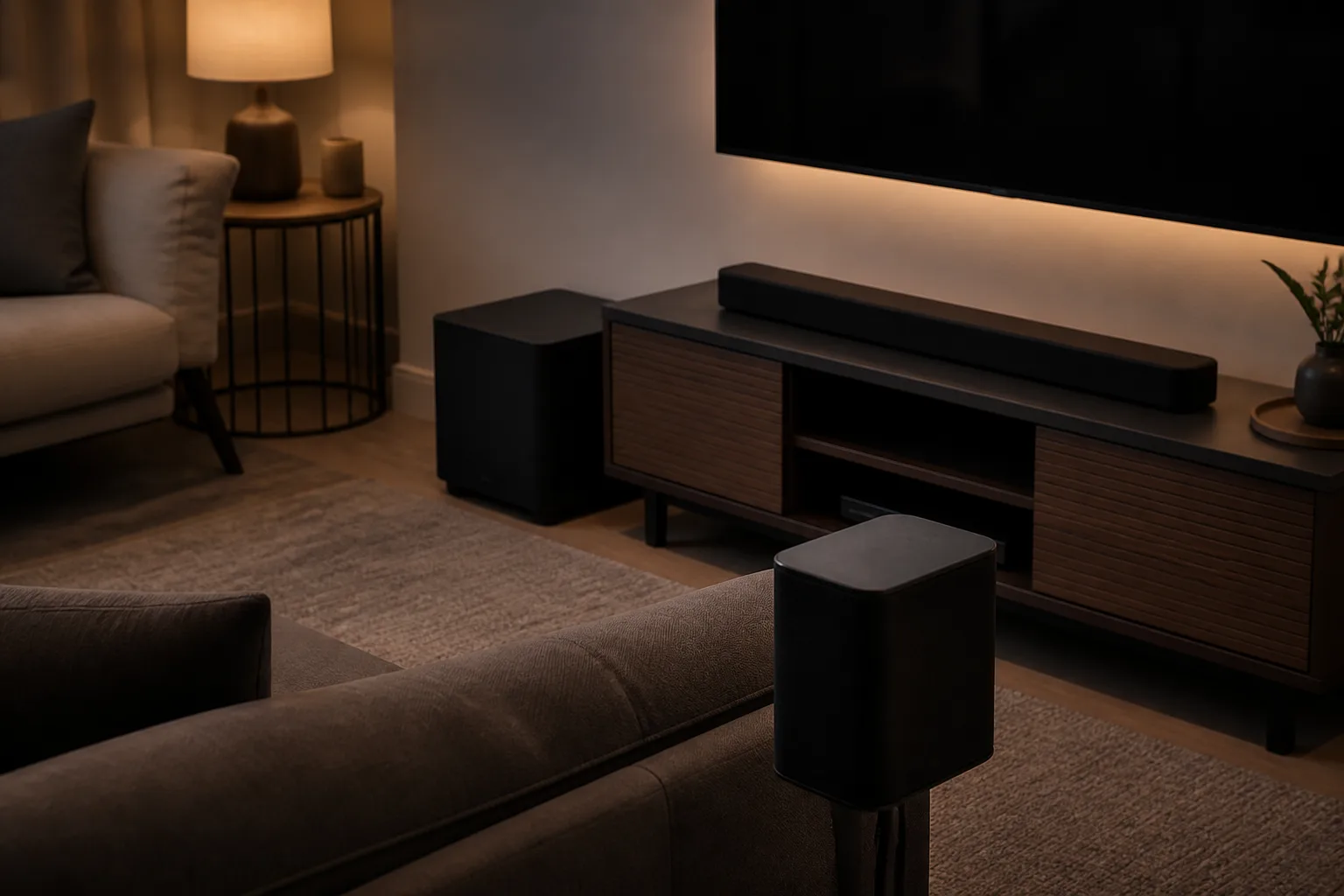
Sound Quality: Where Wireless Wins and Loses
Good wireless surround can be excellent for films, streaming TV and games. It is not automatically worse than wired, but the compromises are different. It also sits in the same decision tree as soundbar vs AV receiver: neatness and simplicity on one side, flexibility and raw speaker choice on the other.
Where wireless wins
Wireless systems win on setup speed, neatness and family acceptance. A Samsung Q990 package can fill a room with convincing Atmos effects in under an hour. A Sonos Arc with Era 300 rears makes Apple TV films feel much larger than the TV speakers ever could, and the app-based room tuning helps in awkward spaces.
They also solve the “I will run the cables properly next weekend” problem. If a wireless setup means you actually use rear speakers rather than leaving wired ones in the loft, it is the better system in practice.
Where wired still wins
Wired separates still win for upgrade paths, speaker choice and outright performance per pound. A £700 AV receiver with used passive speakers can outperform many £1,200 soundbar packages if you can place everything properly. You also avoid ecosystem lock-in and can replace one speaker at a time.
Bass is another weak spot in some wireless packages. Wireless subwoofers are common, but they still need a good room position. In a suspended-floor UK living room, a boomy corner can make explosions loud without making them controlled. Based on UK owner feedback, moving the subwoofer 50cm often makes more difference than changing the sound mode.
Atmos height effects
Wireless rear speakers do not automatically mean better Atmos. Many soundbar packages use up-firing drivers that bounce sound off the ceiling. This works best with a flat, low-to-medium ceiling. It works poorly with high ceilings, beams, heavy coving or open-plan spaces.
If Atmos matters, look at the whole speaker layout, not just the word “wireless”. A soundbar with rear up-firing speakers will usually beat a front-only Atmos bar, but neither replaces correctly positioned ceiling speakers in a dedicated room. Our Dolby Atmos at home explainer goes deeper on what the format can and cannot do in a normal lounge.
What to Buy in the UK
Treat wireless surround as a system choice, not a single feature. The right buy depends on budget, TV habits and how much you care about upgrading later.
Budget route: add rears to a compatible soundbar
If you already own a compatible Samsung, LG or Sony soundbar, adding the matching rear kit can be the cheapest win. Samsung SWA rear kits often sit around £120-£250 depending on model and stock. LG rear kits are similar when available. Check the exact compatibility list before ordering; model numbers matter.
This is the route I would try first if the soundbar is decent and the room is small. It gives you real rear effects without replacing everything.
Mid-range route: complete wireless soundbar package
For most people, the sweet spot is a complete package from Samsung, LG, Sony or JBL. Expect £500-£1,000 for a strong Dolby Atmos soundbar with wireless subwoofer and rear speakers. Currys, John Lewis, Richer Sounds and Amazon UK regularly discount previous-year models, and those discounts are often better value than the newest launch.
The Samsung HW-Q930 or HW-Q990 lines are popular because they include rear speakers in the box. Sony’s Bravia Theatre Bar systems can be strong if you already own a Sony TV. JBL Bar packages are worth a look if you like detachable battery rears, though charging them will either delight you or annoy you.
Premium route: Sonos or separates with wireless support
Sonos is the cleanest premium lifestyle option. A Sonos Arc Ultra, Sub Mini or Sub, and two Era 100 or Era 300 surrounds can run from roughly £1,500 to well over £2,000. It is expensive, but the app, music support and resale value are strong.
If sound quality matters more than neatness, a Denon or Marantz AV receiver with proper passive front speakers is still my favourite route. Add wireless rear capability only if the model supports it cleanly. Budget £1,200-£2,500 for a sensible receiver, speaker and subwoofer setup, more if you want premium speakers.
My practical recommendation
If you want the least hassle, buy a complete soundbar package with rears included. If you want the best sound, wire passive speakers. If you already live inside the Sonos ecosystem, Sonos surrounds are expensive but make sense.
The one thing I would not do is build a surround setup from unrelated wireless speakers. It looks clever on paper and becomes annoying fast.
Frequently Asked Questions
Is wireless surround sound really wireless? Not fully. The audio signal to the rear speakers is usually wireless, but most speakers still need mains power or a rear amplifier module.
Can I use Bluetooth speakers as surround speakers? Usually no. Bluetooth speakers are not designed for proper timed 5.1 or Atmos rear-channel playback from a TV or AV receiver.
Does wireless surround sound work with any TV? It depends on the main soundbar or receiver. Most modern TVs with HDMI ARC or eARC will work, but older TVs may limit audio formats.
Is wireless surround good for gaming? It can be, but check owner feedback for latency. Fast games reveal audio delay more clearly than films or streaming TV.
What is the cheapest way to add wireless rear speakers? If your current soundbar supports a matching rear-speaker kit, that is usually cheapest. Expect about £120-£250 in the UK.
Is wired surround still better? For pure sound quality, upgrade flexibility and long-term value, yes. Wireless surround wins when neatness, rental limits or room layout make speaker cable a pain.