In the HDMI ARC vs eARC vs optical comparison, eARC is the best television-audio connection when both the TV and sound system support it. Standard HDMI ARC is the sensible second choice for most soundbars, while optical remains useful for older equipment and simple stereo or compressed surround sound. The connector alone does not guarantee a format: the television, soundbar or receiver, source device, app and content all have to support the same audio path.
In This Article
- HDMI ARC vs eARC vs Optical: The Short Answer
- How ARC, eARC and Optical Actually Work
- Audio Formats and Bandwidth: What Changes
- Control, Lip-Sync and Everyday Convenience
- Ports, Cables and Compatibility Checks
- Which Connection Suits Your TV-Audio Setup?
- Common ARC, eARC and Optical Problems
- Final Verdict: Choose the Best Connection Available
- Frequently Asked Questions
HDMI ARC vs eARC vs Optical: The Short Answer
Use HDMI eARC when it is available at both ends. It provides the broadest audio-format support, is designed for reliable device discovery and can return high-quality sound from the TV to a compatible soundbar or AV receiver through one HDMI cable.
Use HDMI ARC when the television or sound system lacks eARC. It still sends TV audio back through the HDMI connection and usually lets the television remote control soundbar or receiver volume. Its audio capability is closer to traditional S/PDIF than eARC, so lossless multichannel formats are not its natural territory.
Use optical when HDMI control is troublesome, the equipment is older, or you only need stereo PCM or compressed surround. Optical is electrically isolated and simple, but it does not carry HDMI control commands and has less room for modern high-bitrate formats.
| Connection | Best use | Typical audio capability | TV remote control | Main limitation |
|---|---|---|---|---|
| HDMI eARC | Modern TV with recent soundbar or receiver | Stereo, compressed surround and supported high-bitrate or lossless formats | Usually, through HDMI-CEC | Both devices and the source chain must support the required format |
| HDMI ARC | Mainstream TV and soundbar setup | Stereo PCM and compressed surround; some Atmos via compressed Dolby Digital Plus paths | Usually, through HDMI-CEC | Less audio capacity and more device-dependent behaviour |
| Optical | Older equipment or simple fallback | Stereo PCM and compressed Dolby Digital/DTS where supported | Not through the optical cable | No lossless multichannel audio or HDMI control |
Our comparison is based on official HDMI feature documentation and the practical capabilities that have to align across a complete television-audio chain. We have not treated an HDMI version number, an Atmos badge or a labelled socket as proof that every format will pass.
How ARC, eARC and Optical Actually Work
HDMI ARC sends audio back along an HDMI link
An ordinary HDMI source normally sends picture and sound towards a television. Audio Return Channel, introduced with HDMI 1.4, allows a compatible TV to send audio in the opposite direction to a soundbar or AV receiver. That return path can carry sound from the television’s tuner, built-in streaming apps and devices connected to the TV.
The important word is compatible. The TV and audio device must use their ARC-enabled HDMI sockets, and ARC normally relies on HDMI-CEC being enabled for control and discovery. Manufacturers give CEC different menu names, which is why two apparently suitable products can still need a rummage through the settings.
HDMI eARC is the enhanced return path
eARC keeps the same basic idea but improves discovery, capacity and audio-format support. The official HDMI eARC overview lists support for high-bitrate formats, uncompressed multichannel audio and formats including Dolby TrueHD, Dolby Atmos, DTS-HD Master Audio and DTS:X.
That describes what eARC can carry, not what every television will pass from every input. Some TVs output a source unchanged when their digital-audio setting is on pass-through; others decode, convert or restrict particular formats. Check both manuals if a specific lossless soundtrack matters.
Optical is a separate digital-audio route
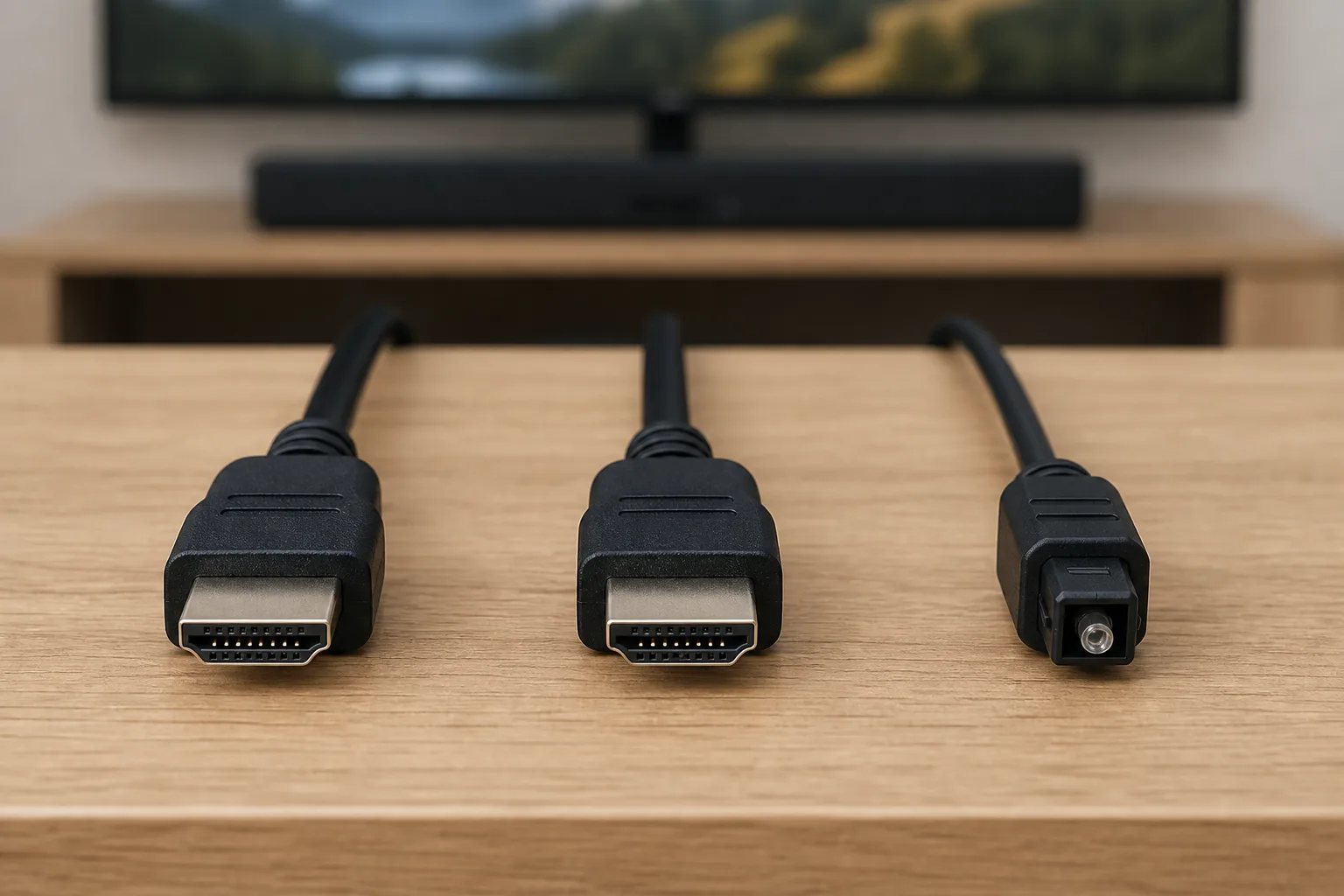
Optical audio, usually using a TOSLINK cable, sends S/PDIF data as light. It carries sound only. There is no picture, device discovery or HDMI control data, so it avoids some CEC complications but cannot provide the same one-remote experience by itself.
Optical plugs are keyed and should slide in without force once the protective cap is removed. A red glow from the TV’s optical output shows that light is present, not that the correct format or settings have been selected. For a wider explanation of connector types, see our guide to analogue, digital and optical audio cables.
Audio Formats and Bandwidth: What Changes
Stereo and compressed surround
All three routes can handle ordinary two-channel PCM in a compatible setup. ARC and optical can also carry established compressed surround formats such as Dolby Digital, with DTS support depending on the television and audio device. This is enough for many Freeview broadcasts, older consoles, DVDs and streaming services.
Standard ARC may also carry Dolby Atmos when Atmos metadata is delivered within Dolby Digital Plus. That is common for streaming. It is not the same signal as lossless Dolby TrueHD with Atmos from a compatible Blu-ray source. Our Dolby Atmos home-cinema guide explains why the word “Atmos” alone does not tell you the underlying codec or quality.
Lossless multichannel audio
eARC is the route to choose when you want the TV to return lossless multichannel PCM, Dolby TrueHD, DTS-HD Master Audio or object-based formats carried within those streams. The TV still needs to accept and pass the source format, and the soundbar or receiver needs to decode it.
This distinction matters most with a games console, gaming PC or Blu-ray player connected directly to the television. If the TV cannot pass the chosen audio format, eARC cannot invent support. Connecting the source to an AV receiver first may solve that issue, but it changes the video path and deserves a compatibility check of its own.
Why quoted bandwidth figures can mislead
Huge HDMI cable bandwidth figures usually describe the main video link, not the audio return channel. They are not useful shorthand for deciding whether ARC will pass a soundtrack. We compare declared format support and the complete signal route instead. That is a safer method than assuming “HDMI 2.1” printed on a product means every optional HDMI feature is implemented.
- For TV apps: the app, television output mode and sound system must agree on a format.
- For external sources: add the console, player or streaming box and the TV’s pass-through behaviour to that chain.
- For Atmos: identify whether it arrives through Dolby Digital Plus or Dolby TrueHD rather than relying on the Atmos logo.
Control, Lip-Sync and Everyday Convenience
HDMI-CEC provides the one-remote benefit
ARC and eARC connections normally work alongside HDMI Consumer Electronics Control. In a successful setup, switching on the TV wakes the audio system, the TV remote changes its volume and the television selects the external speakers. That convenience is one of HDMI’s strongest advantages over optical.
CEC is also where odd behaviour appears. A newly connected games console may change the active input; a soundbar may not wake after a software update; or two devices may disagree about power state. These are control problems rather than proof that the HDMI cable cannot carry audio.
Optical avoids that negotiation. Some soundbars can learn a television remote’s infrared volume commands, but that is a feature of the soundbar, not the optical connection. Otherwise, expect to use a separate remote or a programmable universal control.
Lip-sync is a chain problem
Audio can lag when the television processes the picture, converts sound or passes it to another device. eARC includes improved provisions for synchronisation, while HDMI has supported lip-sync information for years. Implementation still matters. A soundbar delay control can usually add audio delay, but it cannot help if the sound already arrives behind the picture and the device offers no negative adjustment.
Start with the simplest path and disable unnecessary TV sound processing before applying manual delay. Game mode may reduce picture processing, while a pass-through audio setting can reduce conversion. Do not stack several delay controls unless you know which device is responsible.
Ports, Cables and Compatibility Checks
Find the labelled sockets at both ends
Televisions commonly have several HDMI inputs but only one marked ARC or eARC/ARC. The soundbar or receiver needs its corresponding HDMI output or TV connection socket, not a normal HDMI input intended for a source device. Port placement is often inconvenient, so photograph the labels before wall mounting.
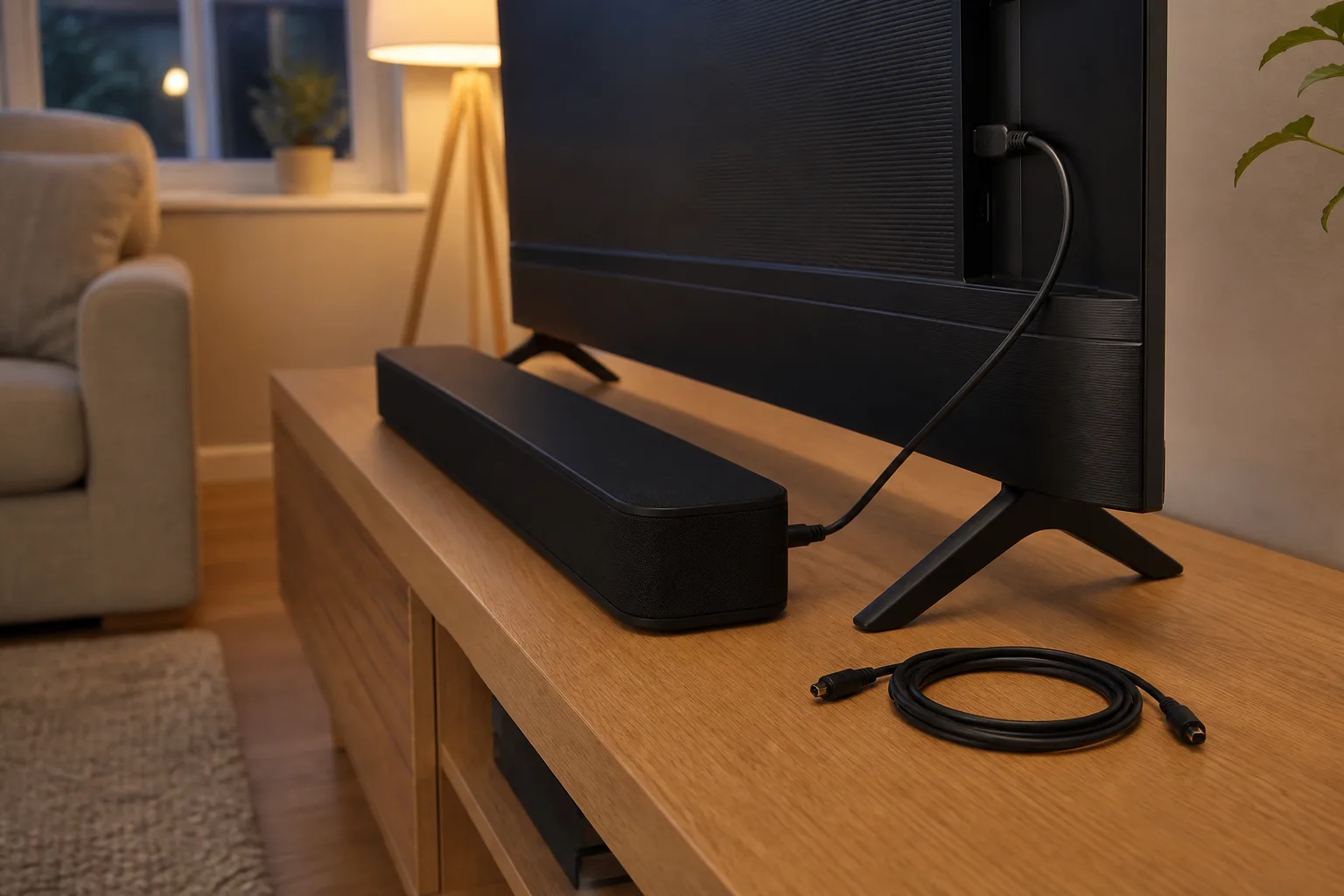
For optical, use the TV’s digital audio output and the sound system’s optical input. Remove the tiny protective caps from a new cable and align the keyed plug. Do not bend an optical cable sharply behind a wall-mounted television.
Do you need a new HDMI cable?
ARC itself does not demand an exotic cable. The official HDMI feature archive states that ARC works with existing HDMI cable categories when connected to ARC-enabled devices. eARC is associated with the HDMI Ethernet data channel; a properly certified High Speed HDMI Cable with Ethernet or Ultra High Speed HDMI Cable is the sensible choice for a new installation.
Do not replace a short, working cable merely because the packaging lacks the latest version number. If you also need demanding 4K or high-refresh video on the same link, choose the cable for that video requirement and buy from a reputable retailer. Our home-cinema HDMI cable guide covers that separate decision.
Before spending anything, check:
- TV port: ARC or eARC/ARC is printed beside the exact socket you are using.
- Audio port: the soundbar or receiver socket is intended for the TV return connection.
- Menus: HDMI-CEC, ARC/eARC and external-speaker output are enabled where required.
- Formats: both manuals list the codec you want to use.
- Cable route: the plugs are fully seated and the cable is not sharply bent or under tension.
Which Connection Suits Your TV-Audio Setup?
Modern TV and modern soundbar
Choose eARC. It gives the setup the best chance of accepting high-quality sound from TV apps and external sources while retaining power and volume control. Set the television’s digital-audio output to pass-through or auto as recommended by its manufacturer, then confirm the soundbar’s display or app reports the expected format.
ARC-only television with a soundbar
Use ARC unless it proves unreliable. It is usually ideal for television apps, broadcast sound and compressed streaming formats, and the one-remote control is worth having. If you are planning the rest of the room, our comparison of a soundbar versus an AV receiver keeps that equipment choice separate from the connection question.
Older television or audio system
Optical is often the cleanest answer. It can give an older receiver or soundbar good digital sound without an HDMI return port or CEC negotiation. Select PCM first if there is silence, then try a compatible bitstream format once basic audio works.
Games console or Blu-ray player
Use eARC if the source connects to the television and you want multichannel PCM or a lossless soundtrack returned to the receiver. Otherwise, connect the source directly to the AV receiver when its video capabilities meet your needs. A budget system may not need lossless return audio at all; our budget home-cinema setup guide helps prioritise the parts that make the largest audible difference.
Projector setup
Check the projector carefully. Some offer eARC or ARC, some provide optical, and others have limited audio outputs intended only for basic speakers. Long HDMI runs add another variable. If the projector is the system’s display hub, see our home-cinema projector guide before deciding where sources and the receiver should sit.
Common ARC, eARC and Optical Problems
Use one controlled troubleshooting sequence
Randomly changing every menu makes it harder to identify the fault. Use this order:
- Confirm the sockets. Check that both ends use ARC/eARC ports, or that optical runs from TV output to audio input.
- Select external audio. Set the television to receiver, audio system or optical output rather than its internal speakers.
- Enable the control features. Turn on HDMI-CEC and ARC/eARC for an HDMI connection.
- Start with PCM. Two-channel PCM is the simplest test format. If it works, move to auto, pass-through or bitstream.
- Power-cycle the chain. Switch everything off at the mains for a minute, reconnect the cable and start the television before the sound system.
- Test another known-good cable. Keep the run short for diagnosis and change one item at a time.
- Check software and manuals. Install stable firmware updates and verify the exact supported formats for both devices.
No sound from TV apps but sources work
This usually points to the TV’s digital-audio output setting or the app’s chosen format. Try PCM. If PCM works, the physical connection is probably sound and the problem is format negotiation. Move back to pass-through or auto and test a known 5.1 programme.
Sound drops out or the bar disappears
CEC state, loose plugs and marginal cables can all produce intermittent behaviour. Remove other HDMI devices temporarily, because one misbehaving source can disrupt CEC across the system. Reintroduce them one at a time after the TV and soundbar remain stable.
Optical works but there is no surround sound
Check whether the TV is set to PCM, which is commonly stereo over optical. Select Dolby Digital or bitstream only if both the content and audio system support it. Some televisions do not pass DTS from HDMI inputs even when their optical output supports other compressed formats.
Final Verdict: Choose the Best Connection Available
The practical order is eARC first, ARC second, optical third. eARC has the widest audio-format capability and keeps HDMI control. ARC covers the needs of many soundbar owners and streaming viewers. Optical is the dependable fallback for older hardware, basic digital sound or an HDMI setup whose control behaviour refuses to settle down.
The biggest mistake is choosing by connector name alone. Check the labelled ports, the TV’s pass-through support, the sound system’s decoder list and the actual content format. A fully compatible ARC setup is better than a nominal eARC setup that converts the source or is connected to the wrong port.
If both HDMI routes work and you cannot hear a difference with ordinary television, that is not a failure. Use the connection that gives stable sound, correct dialogue timing and convenient control. Upgrade the route only when a real format or compatibility requirement demands it.
Frequently Asked Questions
Is eARC better than ARC? Yes. eARC supports a broader range of high-bitrate and uncompressed audio formats and improves device discovery. Both the TV and audio system still need compatible eARC implementations.
Is HDMI ARC better than optical? ARC usually wins for convenience because it can combine TV audio with HDMI-CEC volume and power control. Optical can be simpler with older equipment and still handles stereo PCM and compatible compressed surround.
Can optical carry Dolby Atmos? Optical does not carry the modern Dolby Digital Plus or Dolby TrueHD Atmos paths used by current home-cinema systems. Treat it as a stereo or conventional compressed-surround connection.
Do I need a special HDMI cable for eARC? A certified High Speed HDMI Cable with Ethernet or Ultra High Speed HDMI Cable is the sensible new purchase. A short existing cable may work, but both devices and the relevant ports must support eARC.
Why does my soundbar show stereo instead of Dolby Digital? The TV may be outputting PCM, the programme may be stereo, or a device in the chain may not pass Dolby Digital. Test known surround content and check the TV’s digital-audio setting.
Can I use HDMI ARC and optical at the same time? Some televisions can activate only one external digital output at a time, while others duplicate limited audio. Use one connection for the main system unless the TV manual explicitly supports your intended arrangement.